
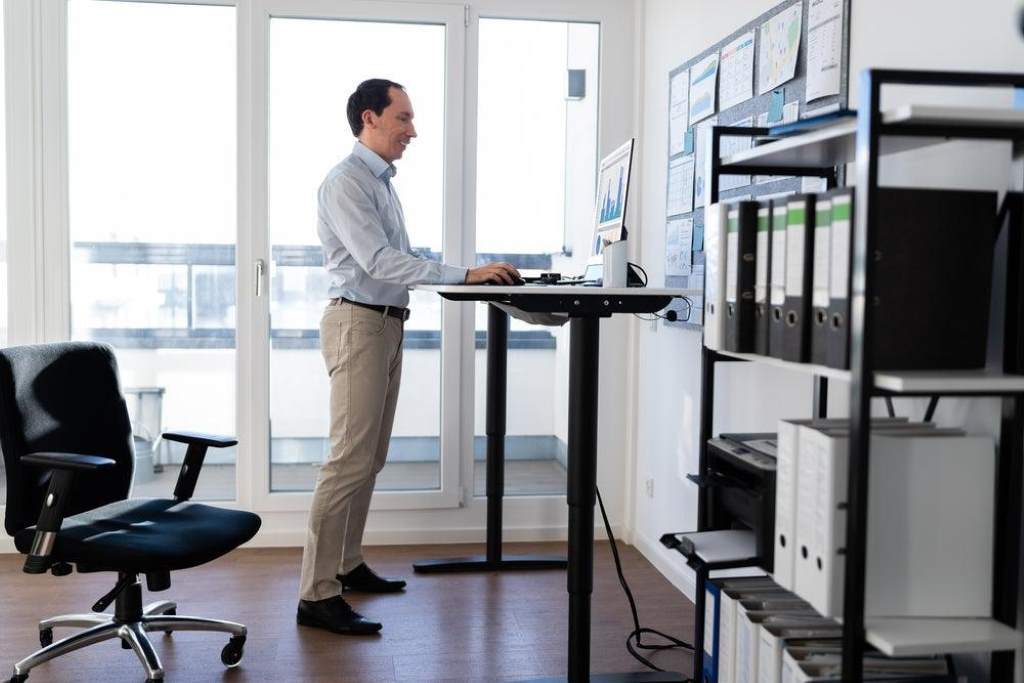
Modern work life keeps many people sitting for long hours, and that habit affects health more than most realize. According to the Centers for Disease Control and Prevention, adults who sit for long periods face a higher risk of heart disease and poor posture. In addition, a study published in the Annals of Internal Medicine found that prolonged sitting can increase early death risk even for active individuals. That is where an adjustable sit stand desk comes in. It helps you switch between sitting and standing with ease. This guide explains how to choose the right desk so you can build a healthier and more productive workspace.
Why a Sit Stand Desk Matters for Your Health
A sit stand desk supports movement throughout your workday. Instead of staying in one position, you can shift between sitting and standing. That simple change reduces strain on your spine and improves circulation.
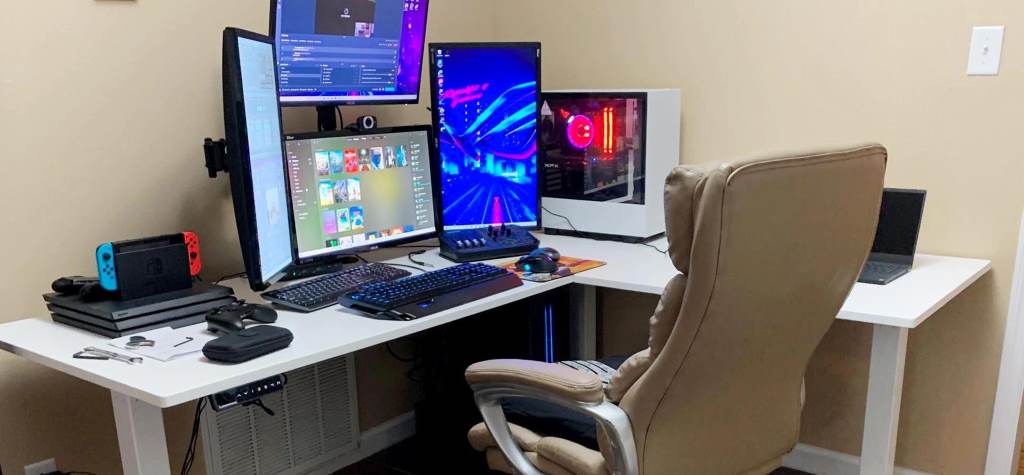
Moreover, standing desks help reduce back pain. Many office workers report less discomfort after switching to adjustable desks. Research from the National Institutes of Health shows that regular posture changes improve spinal alignment and reduce fatigue.
In addition, energy levels often increase when you stand periodically. Movement boosts blood flow, which helps you stay alert. As a result, productivity improves without adding extra effort.
Key Factors to Consider Before Buying
Desk Height Range and Adjustability
Height range is one of the most important factors. A good desk should match your height whether you sit or stand. If the desk does not adjust properly, it can cause discomfort instead of solving it.
Look for desks with a wide height range. This ensures proper alignment of your elbows and screen. Ideally, your monitor should sit at eye level, and your arms should form a ninety degree angle while typing.
Also, smooth adjustment matters. Electric desks offer easy transitions, while manual ones require effort. Choose based on your daily usage and comfort needs.
Stability and Build Quality
A stable desk creates a safe and productive environment. If the desk wobbles, it becomes difficult to work efficiently.
Check the frame material and overall construction. Steel frames usually provide better support than lighter materials. In addition, a solid base prevents shaking when you type or use multiple monitors.
Durability also matters. A strong desk lasts longer and maintains performance over time. Therefore, investing in quality materials pays off in the long run.
Desk Surface Size and Shape
The size of your desk affects both comfort and productivity. A small surface may feel cramped, especially if you use multiple devices.
Choose a desk that fits your workspace and equipment. Consider your monitor size, keyboard placement, and additional accessories.
Common shapes include rectangular and L shaped desks. L shaped designs work well for larger setups, while rectangular desks suit compact spaces.
Weight Capacity
Weight capacity determines how much equipment your desk can support. This includes monitors, laptops, keyboards, and other tools.
Always check the maximum load limit. If the desk cannot handle your setup, it may become unstable or wear out quickly.
Heavy duty desks work best for multi monitor setups. On the other hand, lighter desks are suitable for minimal setups.
Ease of Use and Controls
User friendly controls make a big difference in daily use. Electric desks often include buttons or memory presets. These features allow you to switch positions quickly.
Memory presets are especially useful. You can save your preferred sitting and standing heights. As a result, adjustments become faster and more convenient.
Manual desks require more effort but still work well for occasional use. Choose based on how often you plan to adjust your desk.
Ergonomic Features You Should Not Ignore
Proper Monitor Alignment
Your monitor should sit at eye level. This prevents neck strain and improves posture.
If the desk does not support proper alignment, consider using a monitor stand. This small adjustment can make a big difference in comfort.
Keyboard and Mouse Placement
Your keyboard and mouse should sit at elbow height. This reduces strain on your wrists and shoulders.
Keep your wrists straight while typing. In addition, avoid reaching too far for your mouse. Proper placement improves comfort and reduces fatigue.
Anti Fatigue Accessories
Standing for long periods can cause discomfort. Anti fatigue mats help reduce pressure on your feet.
These mats provide cushioning and improve blood flow. As a result, standing becomes more comfortable and sustainable.
Electric vs Manual Sit Stand Desks
Electric Desks
Electric desks offer smooth and effortless adjustments. With the push of a button, you can change height instantly.
They also include advanced features like memory presets. These desks work best for people who switch positions frequently.
However, they require power and may involve more setup.
Manual Desks
Manual desks use hand cranks or simple mechanisms. They do not require electricity, which makes them more flexible in placement.
Although they take more effort to adjust, they still provide the same health benefits. These desks suit users who do not need frequent changes.
How to Set Up Your Sit Stand Desk Correctly
Follow these steps to create a healthy setup:
- Adjust the desk so your elbows form a right angle
- Position your monitor at eye level
- Keep your keyboard close to avoid reaching
- Use a chair with proper back support
- Alternate between sitting and standing every 30 to 60 minutes
Consistency matters more than perfection. Even small adjustments can improve your comfort and health over time.
Common Mistakes to Avoid
Many people make simple mistakes when using a sit stand desk. Avoid these issues to get the best results:
- Standing too long without breaks
- Ignoring proper posture
- Using incorrect desk height
- Placing the monitor too low or too high
- Forgetting to move regularly
Balance is key. Switching positions regularly helps prevent fatigue and discomfort.
Real Life Example
Consider a remote worker who spends eight hours at a desk daily. After switching to an adjustable desk, they begin alternating positions every hour. Within a few weeks, they notice reduced back pain and improved focus.
This example shows how small changes can lead to meaningful improvements. The right desk supports healthier habits without disrupting your workflow.
Conclusion
Choosing an adjustable sit stand desk is a practical step toward better health and productivity. Focus on height range, stability, surface size, and ease of use. In addition, pay attention to ergonomic details like monitor position and keyboard placement.
A well chosen desk helps you move more and sit less. That simple shift can improve your posture, energy, and overall well being. Start building your healthier workspace today and make movement a natural part of your routine.
FAQs
What is the ideal height for a sit stand desk
The ideal height allows your elbows to form a ninety degree angle while typing. Your monitor should also be at eye level to prevent strain.
How often should I switch between sitting and standing
Switch every 30 to 60 minutes. This keeps your body active and reduces fatigue.
Are sit stand desks good for back pain
Yes, they help reduce back pain by encouraging movement and improving posture. However, proper setup is essential.
Do I need an anti fatigue mat
An anti fatigue mat improves comfort while standing. It reduces pressure on your feet and supports better circulation.
Can I use a sit stand desk in a small space
Yes, many compact designs fit small spaces. Choose a desk that matches your room size and equipment needs.