
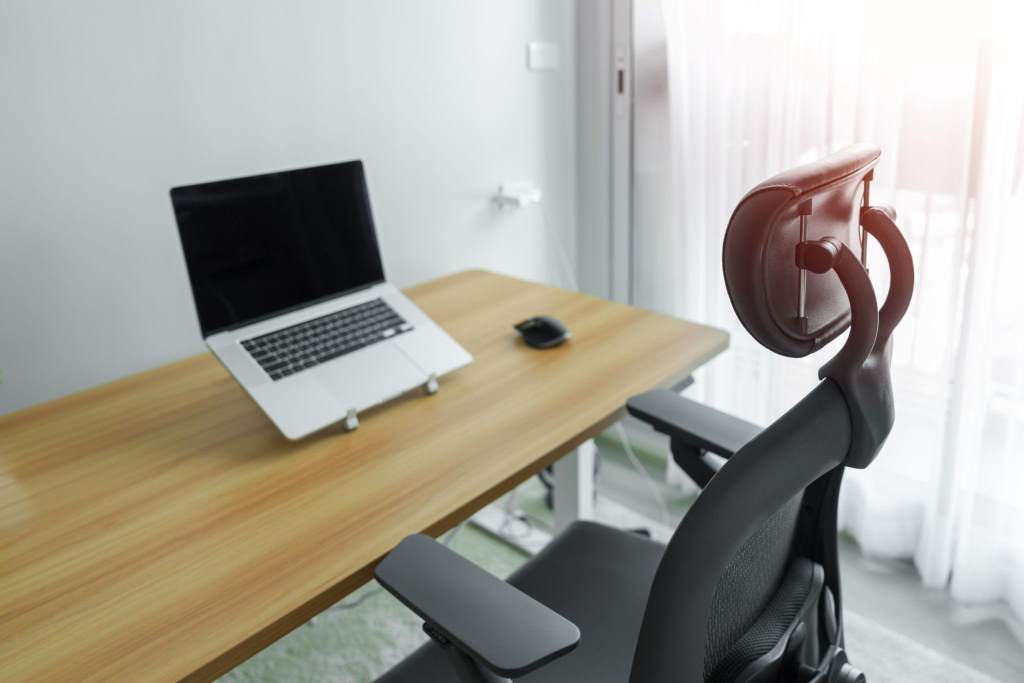
Long hours at a desk can quietly harm your health and focus. Studies from the Centers for Disease Control and Prevention show that prolonged sitting increases the risk of back pain and poor posture. At the same time, research from the National Institutes of Health highlights that proper ergonomic support can improve productivity and reduce fatigue. That is why choosing the right ergonomic task chair matters more than most people think. In simple terms, it is not just about comfort. It is about protecting your body while helping you work better every day.
What Is an Ergonomic Task Chair?
An ergonomic task chair supports your body in a natural position while you work. It is designed to reduce strain on your spine, neck, and hips. Unlike basic chairs, it adjusts to fit your body instead of forcing your body to adapt.
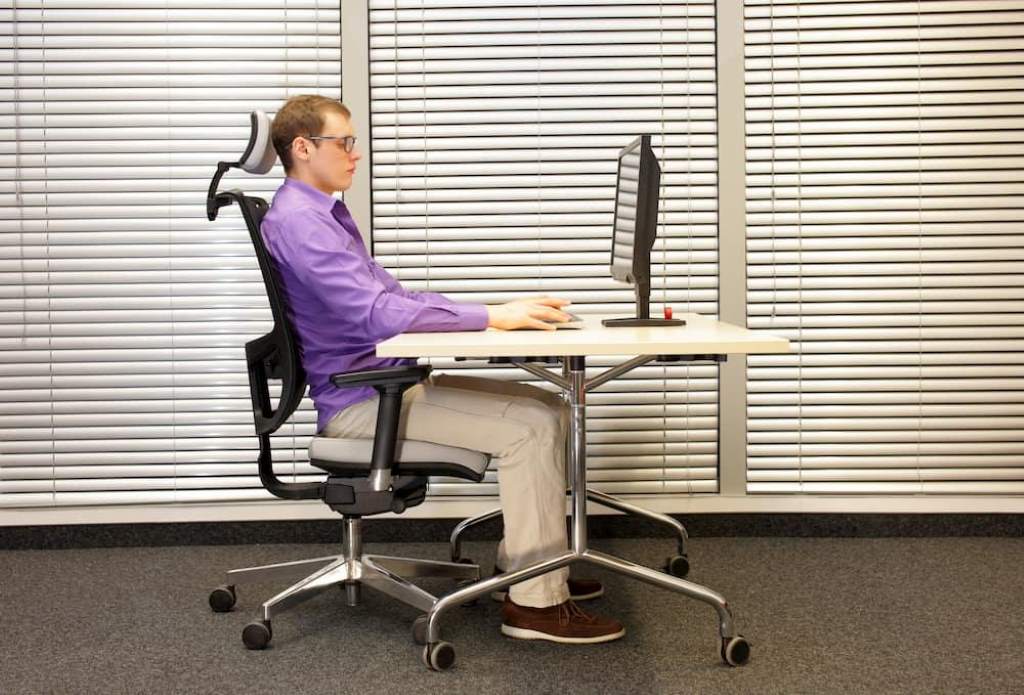
Most importantly, these chairs focus on alignment. Your spine stays in a neutral curve, and your feet rest flat on the floor. As a result, you experience less fatigue even after long work sessions.
In addition, modern ergonomic chairs include features like adjustable armrests, lumbar support, and breathable materials. These features work together to improve comfort and maintain focus throughout the day.
Why an Ergonomic Chair Improves Productivity
Comfort directly impacts how well you work. When your body feels supported, your mind can focus better.
According to workplace studies, employees using ergonomic seating report fewer distractions caused by discomfort. Moreover, they maintain higher energy levels throughout the day.
Here is how the right chair boosts productivity:
- Reduces back and neck pain
- Improves posture and breathing
- Minimizes fatigue during long tasks
- Enhances focus and efficiency
Therefore, investing time in choosing the right chair is not optional. It is essential for both health and performance.
Key Features to Look for in the Best Ergonomic Task Chair
Adjustable Seat Height
Seat height plays a critical role in posture. Your knees should align with your hips or sit slightly lower. This position supports healthy blood circulation.
Look for a chair with a smooth height adjustment mechanism. This allows you to fine tune your seating position based on your desk height.
Lumbar Support
Your lower back needs constant support. Without it, your spine curves unnaturally, leading to pain over time.
A good ergonomic chair includes built in or adjustable lumbar support. It should fit the natural curve of your lower spine and keep your posture aligned.
Seat Depth and Width
Seat size affects comfort more than most people realize. A seat that is too deep can pressure your knees, while a shallow seat reduces support.
Ideally, you should have about two to three inches of space between the back of your knees and the seat edge. This ensures proper circulation and comfort.
Armrest Adjustability
Armrests reduce strain on your shoulders and neck. However, fixed armrests often create more problems than they solve.
Choose a chair with adjustable armrests. They should move up, down, and ideally side to side. This flexibility helps maintain a relaxed shoulder position.
Backrest Recline and Tilt
Movement is essential for long sitting periods. A reclining backrest allows you to shift positions and reduce pressure on your spine.
Additionally, tilt tension control lets you adjust how easily the chair reclines. This feature supports dynamic sitting, which keeps your body active.
Breathable Material
Material affects comfort throughout the day. Mesh backs promote airflow and prevent overheating. On the other hand, cushioned seats provide softness and support.
Therefore, consider your work environment. If you sit for long hours, breathable materials often offer better comfort.
How to Choose the Right Chair for Your Body Type
Not every chair fits every person. That is why understanding your body type helps you make a better decision.
First, consider your height. Taller individuals need higher backrests and deeper seats. Shorter users benefit from adjustable seat depth and lower seat height ranges.
Next, think about weight capacity. A sturdy frame ensures long term support and stability.
Finally, test adjustability. The more customizable the chair, the better it will fit your body. A one size fits all approach rarely works with ergonomic seating.
Common Mistakes to Avoid When Buying an Ergonomic Chair
Many people focus on appearance instead of function. However, this often leads to discomfort later.
Avoid these common mistakes:
- Ignoring adjustability features
- Choosing style over support
- Skipping lumbar support
- Not checking seat dimensions
- Assuming all ergonomic chairs are the same
Instead, prioritize features that directly impact posture and comfort. This approach ensures long term satisfaction.
Ergonomic Chair Setup Tips for Maximum Comfort
Even the best chair will not help if you set it up incorrectly. Proper adjustment is key to getting full benefits.
Follow these simple steps:
- Adjust seat height so feet rest flat on the floor
- Keep knees at a 90 degree angle
- Align lumbar support with your lower back
- Position armrests so shoulders stay relaxed
- Keep your screen at eye level
As a result, your body stays aligned, and you reduce unnecessary strain.
How the Right Chair Changed Work Performance
Consider a remote worker who struggled with back pain and low energy. After switching to a fully adjustable ergonomic chair, they noticed immediate changes.
First, their posture improved within days. Then, their focus increased because discomfort no longer distracted them. Over time, they reported higher productivity and fewer breaks.
This example shows that the right chair does more than improve comfort. It transforms how you work.
How Ergonomic Chairs Support Long Term Health
Sitting for long hours can lead to chronic issues. However, ergonomic chairs help reduce these risks.
They promote spinal alignment, which prevents long term back problems. Additionally, they support proper circulation, reducing the risk of stiffness and fatigue.
Furthermore, better posture improves breathing and energy levels. This creates a positive cycle where comfort leads to better performance and overall well being.
Conclusion
Finding the best ergonomic task chair is not complicated when you know what to look for. Focus on adjustability, support, and proper fit. These factors directly impact your comfort and productivity.
Moreover, avoid common mistakes and take time to set up your chair correctly. Small adjustments can make a big difference in how you feel and work.
Take action today. Evaluate your current setup and upgrade if needed. Your body and productivity will thank you.
FAQs
What makes a chair ergonomic?
An ergonomic chair supports natural body posture and includes adjustable features. It reduces strain on the spine, neck, and shoulders.
How long should I sit in an ergonomic chair?
Even with a good chair, take breaks every 30 to 60 minutes. Movement helps prevent stiffness and improves circulation.
Are mesh chairs better than cushioned chairs?
Mesh chairs offer better airflow, while cushioned chairs provide softness. The best choice depends on your comfort preference and work duration.
Can an ergonomic chair fix back pain?
It can reduce and prevent pain caused by poor posture. However, consistent use and proper setup are essential.
Do I need an ergonomic chair for a home office?
Yes, especially if you work long hours. A proper chair improves comfort, focus, and overall health.