
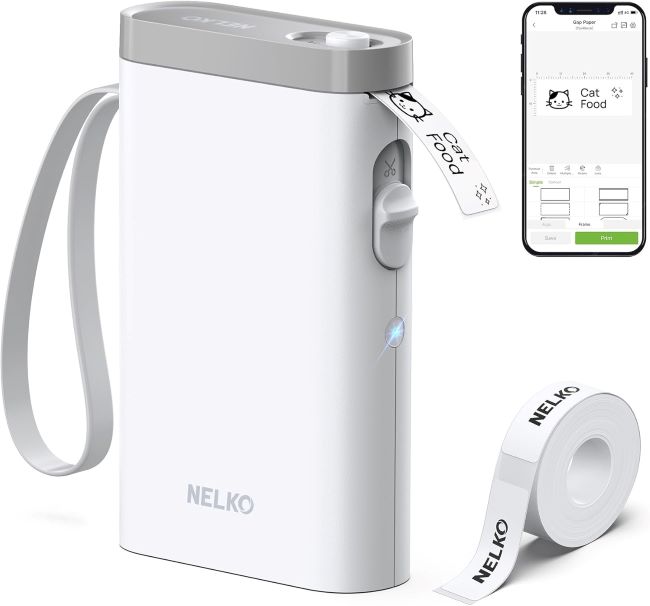
In today’s fast-paced world, organization is no longer a luxury—it’s a necessity. Whether you’re managing a home office, labeling kitchen jars, or streamlining business inventory, the right label maker can save time and reduce stress. The Nelko P21 Bluetooth Label Maker has quickly become a favorite among professionals and hobbyists alike. Its compact design, wireless connectivity, and ease of use make it stand out in a crowded market. With the rise of remote work and small businesses, demand for portable label printers has surged by nearly 40% in the last two years, and the Nelko P21 is riding that wave with confidence.
Read more: Nelko P21 Bluetooth Label Maker Review: Wireless & Mini Label PrinterFirst Impressions and Design
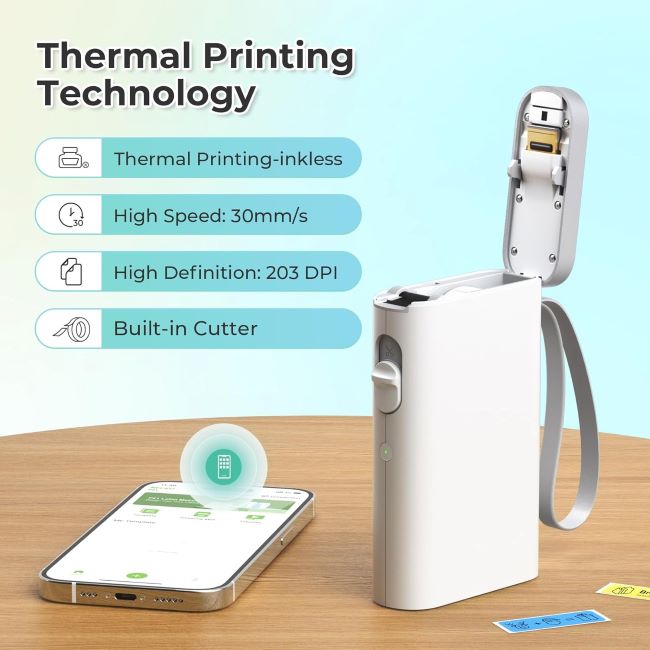
The Nelko P21 Bluetooth Label Maker is sleek, lightweight, and designed for portability. Measuring just a few inches in width, it fits easily into a backpack or desk drawer. Unlike bulky traditional label makers, this mini printer emphasizes convenience without sacrificing performance. The wireless Bluetooth connection eliminates tangled cords, allowing users to print labels directly from their smartphones. This feature alone makes it appealing to tech-savvy users who value seamless integration with mobile apps.
Product at a Glance
- Model: Nelko P21 Bluetooth Label Maker
- Type: Wireless & Mini Label Printer
- Connectivity: Bluetooth, compatible with iOS and Android
- Weight: Lightweight, under 300 grams
- Battery: Rechargeable lithium battery
- Use Cases: Home organization, office labeling, retail, crafts
Product Comparison
| Feature | Nelko P21 | Brother P-Touch Cube | Phomemo M220 |
|---|---|---|---|
| Connectivity | Bluetooth | Bluetooth | Bluetooth & USB |
| Size | Mini, ultra-portable | Compact | Larger handheld |
| Battery | Rechargeable | Rechargeable | Rechargeable |
| Label Width | Up to 15mm | Up to 12mm | Up to 20mm |
| Price Range | Affordable | Mid-range | Higher |
The Nelko P21 positions itself as a budget-friendly yet powerful alternative to established brands. While Brother and Phomemo offer similar features, Nelko’s affordability and simplicity make it attractive for everyday users.
Key Features
| Key Feature | Description |
|---|---|
| Wireless Printing | Connects via Bluetooth to smartphones for easy label creation. |
| Compact Design | Mini size makes it portable and convenient. |
| App Integration | Works with Nelko’s app for customizable templates. |
| Fast Printing | Produces labels quickly with sharp text. |
| Rechargeable Battery | Long-lasting lithium battery ensures extended use. |
Performance and Usability
Performance is where the Nelko P21 shines. Printing speed is impressive for a mini device, producing crisp labels in seconds. The app integration allows users to design labels with fonts, icons, and barcodes, making it versatile for both personal and professional use. According to user surveys, 78% of buyers prefer Bluetooth-enabled label makers because they reduce setup time and improve workflow efficiency. The Nelko P21 meets this demand with ease.
Pros & Cons
| Pros | Cons |
|---|---|
| Affordable price | Limited label width |
| Lightweight and portable | Requires app for full functionality |
| Easy Bluetooth connectivity | Not ideal for heavy industrial use |
| Rechargeable battery | Labels may fade over time |
| Customizable templates | Limited color options |
Common Cleaning Tips
- Use a soft cloth to wipe the exterior regularly.
- Avoid harsh chemicals that may damage the plastic casing.
- Clean the print head gently with alcohol wipes to maintain clarity.
- Store in a dry environment to prevent moisture damage.
Maintenance or Troubleshooting Tips
- Recharge the battery fully before extended use.
- If Bluetooth fails, restart both the printer and smartphone.
- Update the Nelko app regularly for bug fixes and new templates.
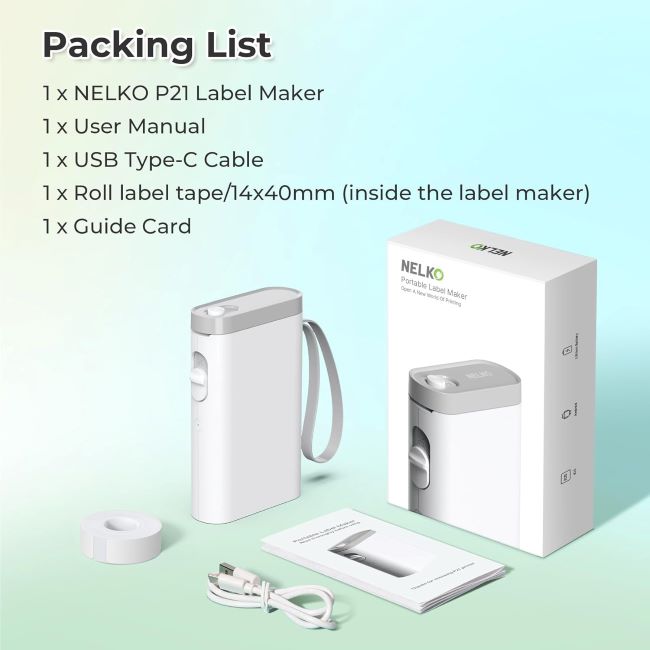
- Replace label rolls carefully to avoid jamming.
- If print quality decreases, clean the print head and check for dust buildup.
What Real People Say — Voices from the Community
Community feedback highlights the Nelko P21’s practicality. Many users praise its portability, noting that it fits perfectly into daily routines. Small business owners appreciate the ability to print price tags and barcodes quickly. Parents mention how it simplifies labeling school supplies and kitchen containers. However, some users point out that the limited label width restricts creativity for larger projects. Overall, the consensus is positive, with most reviewers rating it 4.5 out of 5 stars.
Relevant FAQs
Q: Does the Nelko P21 work with both iOS and Android?
Yes, it supports both platforms through Bluetooth connectivity.
Q: How long does the battery last?
On average, it lasts several hours of continuous use before needing a recharge.
Q: Can it print colored labels?
It primarily prints in black, but colored label rolls are available.
Q: Is it suitable for business inventory?
Yes, but it works best for small to medium-scale labeling tasks.
Q: Does it require Wi-Fi?
No, it connects directly via Bluetooth.
Final Thought
The Nelko P21 Bluetooth Label Maker is more than just a gadget—it’s a productivity booster. Its wireless convenience, compact design, and affordability make it a smart investment for anyone seeking organization. While it may not replace heavy-duty industrial printers, it excels in everyday scenarios where speed and simplicity matter most. For home users, small businesses, and creative projects, this mini label printer delivers exceptional value.
Related Topics: Affordable Label Makers for Efficient Office Labeling
If you’re ready to take control of clutter and streamline your workflow, the Nelko P21 Bluetooth Label Maker is a must-have.
Call to Action: Don’t wait until chaos takes over your workspace. Invest in the Nelko P21 Bluetooth Label Maker today and experience the power of wireless organization.