
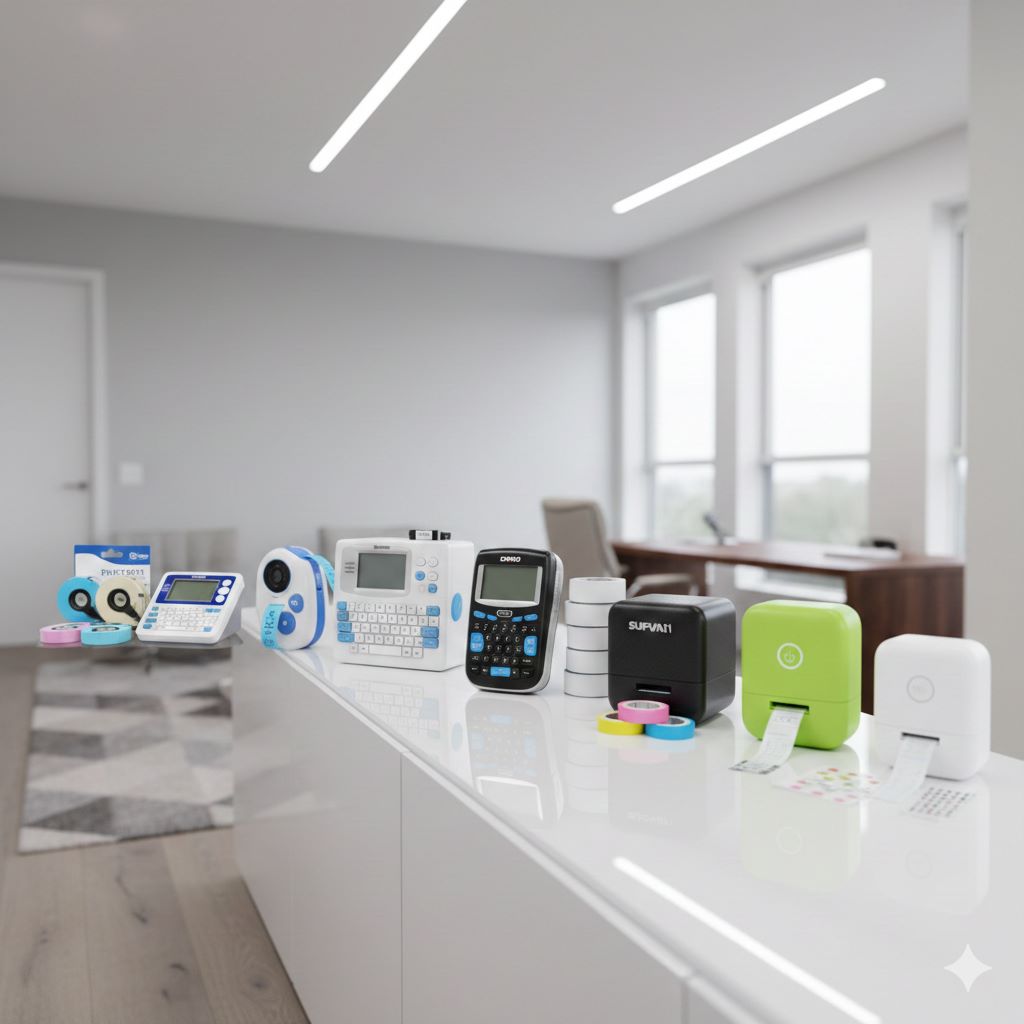
Organization has become a necessity in today’s fast-paced lifestyle. Whether it’s streamlining office files, labeling kitchen jars, or managing school supplies, a reliable label maker saves time and reduces stress. In 2026, the market is flooded with advanced models offering Bluetooth connectivity, app integration, and customizable designs. Choosing the right one can feel overwhelming, but comparing the top contenders—Brother, DYMO, SUPVAN, and Nelko—reveals clear winners for different needs.
Consumers are increasingly looking for devices that combine ease of use with smart features. According to market research, the global label maker industry is projected to grow by 5.8% annually through 2030, driven by home organization trends and small business demand. Therefore, investing in the right label maker today ensures long-term utility and efficiency.
Product at a Glance
Here’s a quick overview of the Best Label Makers 2026: Brother, DYMO, SUPVAN & Nelko Compared:
- Brother P-Touch PTD210 – Affordable, beginner-friendly, includes four tapes.
- Brother PT-N20 – Portable, handheld, supports color personalized tapes.
- Brother PTD220 – Everyday home/office use, prints durable TZe tapes.
- DYMO LabelManager 160 – Smart keys, QWERTY keyboard, large display.
- SUPVAN E11 – Bluetooth-enabled, rechargeable, app support with 650+ icons.
- SUPVAN E10 – Waterproof continuous tape, versatile fonts, compact design.
- Nelko P21 – Wireless mini printer, multiple templates, ideal for schools and offices.
Product Details: Which Label Maker Wins 2026?
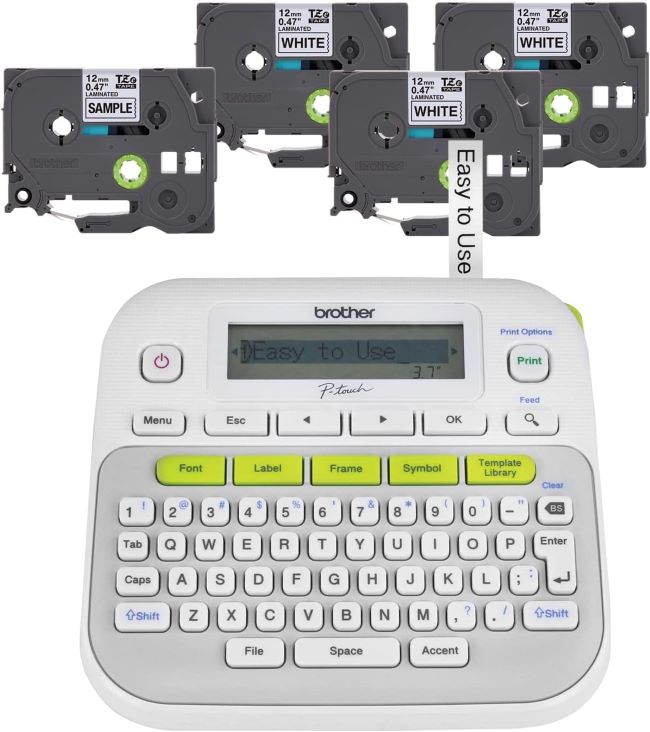
Brother P-Touch PTD210
This model is a powerhouse for everyday labeling. It features 14 fonts, 97 frames, and over 600 symbols, making it ideal for creative labeling tasks. Users rave about its intuitive one-touch keys and the ability to print up to 2 lines of text on 12mm tape. The PTD210 is perfect for organizing files, storage bins, and even crafting projects. However, it lacks Bluetooth connectivity, which might be a dealbreaker for tech-savvy users.
Key Features Table
- Compact design with easy navigation
- Includes four label tapes
- Prints durable laminated labels
- 14 fonts and 97 frames
Pros & Cons Table
- Pros: Affordable, beginner-friendly, durable tapes
- Cons: Limited customization, no Bluetooth
Brother P-Touch PT-N20
If portability is your priority, the PT-N20 is a fantastic choice. It’s compact, rechargeable, and offers the same font and frame variety as the PTD210. Its sleek design makes it easy to carry around, but the smaller size means a slightly less comfortable typing experience for those with larger hands.

Key Features Table
- Portable handheld design
- Prints color personalized tapes
- Supports 12mm wide labels
- Lightweight and travel-friendly
Pros & Cons Table
- Pros: Portable, stylish, supports color tapes
- Cons: Smaller display, limited fonts
Brother P-Touch PTD220
This model is a step up for those who need a bit more from their label maker. It includes all the features of the PTD210 but adds a more robust build and additional templates. It’s a great middle-ground option for users who want reliability without breaking the bank.

Key Features Table
- Prints TZe tapes up to ½ inch
- Easy-to-use interface
- Durable laminated labels
- Compact design
Pros & Cons Table
- Pros: Affordable, durable tapes, reliable performance
- Cons: No Bluetooth, limited customization
DYMO LabelManager 160
The DYMO LabelManager 160 is a perennial favorite for its simplicity and affordability. Priced under $50, it’s one of the most accessible label makers on the market. Its QWERTY keyboard and one-touch formatting keys make it incredibly user-friendly, especially for those who want to label quickly without fuss.

Key Features Table
- QWERTY keyboard for fast typing
- One-touch smart keys
- Large display for preview
- Includes three D1 cassettes
Pros & Cons Table
- Pros: Professional design, easy typing, preview screen
- Cons: Slightly bulky, requires frequent tape replacement
SUPVAN E11 Bluetooth Label Maker
This model comes with 40 fonts, over 650 icons, and supports both keyboard input and app-based design. The rechargeable battery and included tapes make it a great value for money. Users appreciate the ability to print labels directly from their phones, which is perfect for creating intricate designs or using templates. The E11 also supports continuous waterproof labels, making it ideal for outdoor or kitchen use.

Key Features Table
- Bluetooth connectivity with app support
- 40 fonts and 650+ icons
- Rechargeable battery
- Inkless printing technology
Pros & Cons Table
- Pros: Smart features, eco-friendly, versatile designs
- Cons: Higher price, requires smartphone app
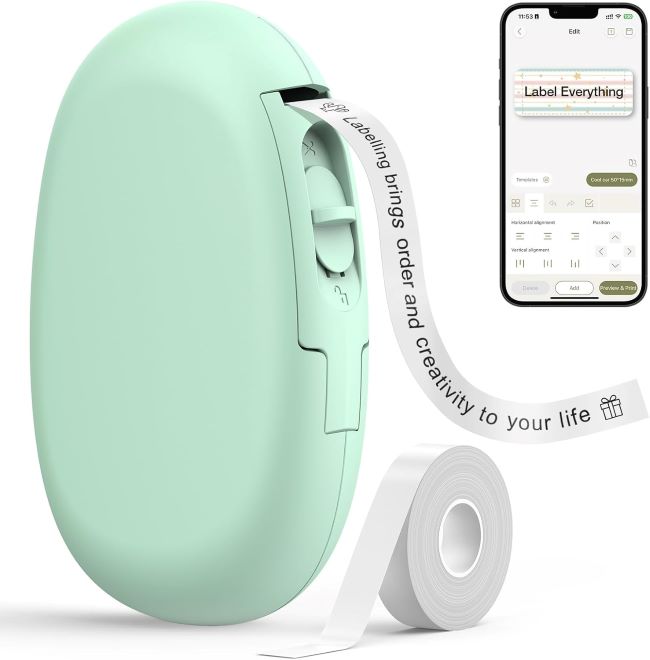
SUPVAN E10 Bluetooth Label Maker
The E10 is slightly more compact and offers 35 fonts and over 1,000 icons. It’s a fantastic option for those who want a balance between portability and functionality. The app is user-friendly, and the continuous tape feature is a standout for labeling larger items.
Key Features Table
- Waterproof continuous tape
- 35 fonts and 1000+ icons
- Compact design
- Bluetooth connectivity
Pros & Cons Table
- Pros: Waterproof labels, versatile fonts, compact size
- Cons: Requires app, limited tape options
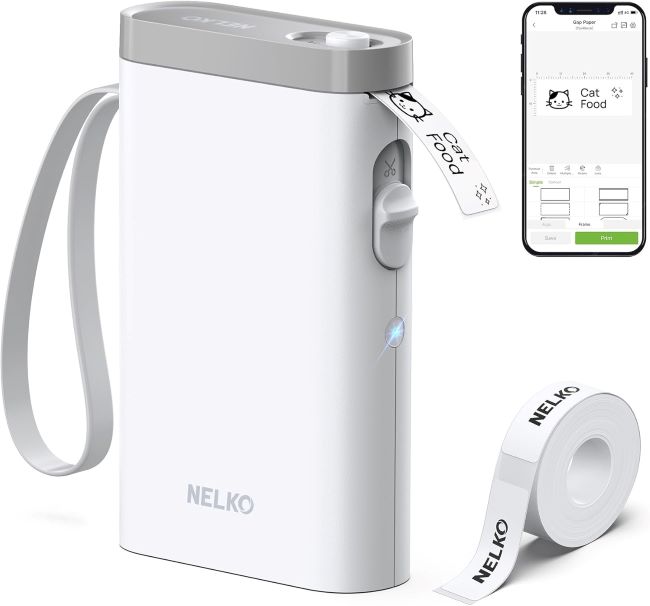
Nelko P21 Bluetooth Label Maker
The Nelko P21 is a standout for its inkless thermal printing technology and ultra-compact design. Weighing just 0.72 pounds, it’s one of the smallest label makers available, yet it packs a punch with 203 DPI print resolution and Bluetooth connectivity.
Key Features Table
- Wireless mini printer
- Multiple templates
- Compact and lightweight
- Ideal for schools and offices
Pros & Cons Table
- Pros: Affordable, portable, template-rich
- Cons: Limited fonts, smaller tape size
Cleaning and Maintenance Tips
Keeping your label maker in top condition ensures longevity and optimal performance. Here’s how:
- Regular Cleaning: Use a soft, dry cloth to wipe down the exterior. For the print head (if accessible), use a cotton swab lightly dampened with isopropyl alcohol to remove dust or adhesive residue.
- Tape Storage: Store label tapes in a cool, dry place to prevent them from drying out or becoming sticky. Avoid exposing them to direct sunlight.
- Battery Care: For rechargeable models, avoid overcharging. Remove batteries if the device won’t be used for an extended period.
- Label Jam Prevention: Always ensure the tape is loaded correctly and the cutter is free of debris. If a jam occurs, gently remove the tape and realign it according to the user manual.
Troubleshooting Common Issues
- Label Jams: Turn off the device, remove the tape cartridge, and gently pull out any stuck tape. Reload the cartridge carefully.
- Faint Printing: Replace the tape cartridge or clean the print head. For thermal models like the Nelko P21, ensure the thermal paper is not expired.
- Connectivity Issues (Bluetooth Models): Restart both the label maker and your smartphone. Re-pair the devices via the app.
- Error Messages: Refer to the user manual for specific error codes. Most issues can be resolved by resetting the device or updating the app.
What Real People Say — Voices from the Community
Across forums and reviews, users highlight durability and ease of use as top priorities. Brother models are praised for reliability, while SUPVAN earns applause for smart features. DYMO appeals to professionals, and Nelko wins hearts with affordability.
Key Takeaways
- Brother models excel in reliability and durability, making them ideal for traditional users who value simplicity.
- DYMO 160 appeals to professionals with its QWERTY keyboard and preview screen, perfect for fast-paced environments.
- SUPVAN E11 and E10 stand out with smart features, Bluetooth connectivity, and creative customization options.
- Nelko P21 wins on affordability and portability, making it a favorite among students and teachers.
Relevant FAQs
Q: Can I use third-party label tapes with these machines?
A: Brother and DYMO models typically require brand-specific tapes for optimal performance. SUPVAN and Nelko are more flexible, but check compatibility for best results.
Q: How long do the batteries last?
A: Rechargeable models (SUPVAN, Nelko, Brother PT-N20) last 4–6 hours on a full charge. AA battery models vary, but expect 100–200 labels per set.
Q: Are these label makers suitable for outdoor use?
A: SUPVAN E11 and E10 offer waterproof labels, making them ideal for outdoor or kitchen use. Other models may not withstand moisture well.
Q: Can I print barcodes or QR codes?
A: Only the Nelko P21 supports barcode and QR code printing via its app.
Q: Which model is best for a small business?
A: For versatility and professionalism, the Brother PTD220 or SUPVAN E11 are excellent choices. For quick, inkless labels, the Nelko P21 is ideal.
Which One Should You Choose?
- If you’re a student or parent on a budget, Nelko P21 offers excellent value.
- If you want budget-friendly simplicity, go for Brother PTD210 or PTD220.
- If you need professional speed and accuracy, choose DYMO LabelManager 160.
- If you love smart features and customization, SUPVAN E11 or E10 are unbeatable.
Final Thought
Choosing the right label maker in 2026 depends on your lifestyle and needs. Brother remains the go-to for reliability, DYMO excels in professional settings, SUPVAN leads with smart features, and Nelko shines with affordability. Each brand offers unique strengths, ensuring there’s a perfect fit for every user.
Call to Action: Ready to transform your organization’s game? Explore these top label makers today and elevate your productivity instantly.