
Key Takeaways
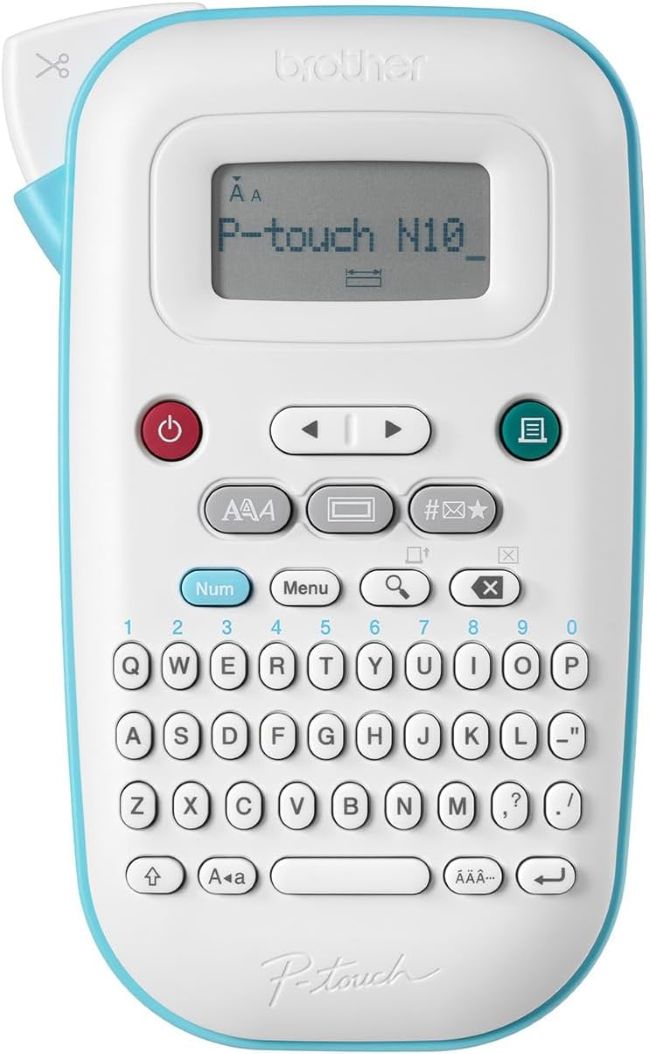
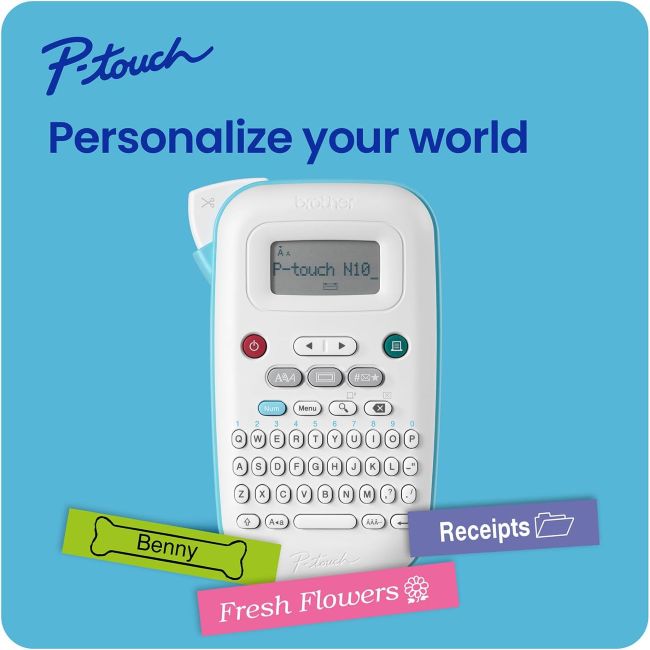
- The Brother P-Touch PT-N10 label maker works exclusively with Btag 12mm tape, available in 17 colorful varieties, giving labels a personalized, decorative look beyond plain black-on-white.
- A full QWERTY keyboard and 12-character LCD display make typing and previewing labels fast and largely typo-free before you print.
- It supports two lines of text with a combined height of 7mm, along with 3 fonts, 6 styles, 10 frames, and 200 symbols for customization.
- The device saves up to 10 frequently used labels, so you don’t need to retype and reformat labels you print often.
- It runs on 6 AAA batteries with no AC adapter option, keeping it fully portable but dependent on battery power.
- Its focus on colorful, personal-use labeling makes it a strong fit for home organization, school supplies, and creative projects rather than industrial or heavy-duty labeling tasks.
Labeling everything from pantry jars to backpacks and binders sounds simple until you’re stuck with a label maker that only prints in black and white, or one so complicated to operate that you give up halfway through typing a label. The right label maker should make the process quick and even a little fun, especially for home organization and personal projects where color and style matter as much as function.
The Brother P-Touch PT-N10 targets exactly that use case, built around Brother’s Btag tape system that opens up a range of vibrant color options most basic label makers don’t offer. Combined with a full keyboard and straightforward controls, it aims to make personal labeling approachable for anyone, from students organizing school supplies to parents color-coding household chores.
Product at a Glance
Brother P-Touch PT-N10 label maker
| Attribute | Details |
|---|---|
| Tape Compatibility | Btag ~½” (12mm) tape only, 17 color varieties |
| Keyboard | Full QWERTY |
| Display | 12-character LCD |
| Text Lines | Up to 2 lines, 7mm combined height |
| Power Source | 6 AAA batteries (not included), no AC adapter option |
| Saved Labels | Up to 10 |
Detailed Review
Why This Product Stands Out
Most entry-level label makers print in a single black-on-white format, which works for basic organization but offers no visual variety. The PT-N10 stands apart by using Brother’s Btag tape system exclusively, giving you access to 17 different colorful tape varieties rather than a single standard option.
That color variety matters directly for anyone using labels for more than pure function, like color-coding chores by household member, decorating a planner, or making school supplies easy for a child to identify at a glance.
Key Specifications
| Spec | Value |
|---|---|
| Print Resolution | 180 dpi |
| Print Speed | 9mm per second |
| Fonts | 3 fonts, 6 styles including underline and italic |
| Frames & Symbols | 10 frames, 200 symbols |
| Tape Cutter | Built-in manual cutter |
| Dimensions | 7.6″D x 4.7″W x 2.8″H |
Design & Build Quality
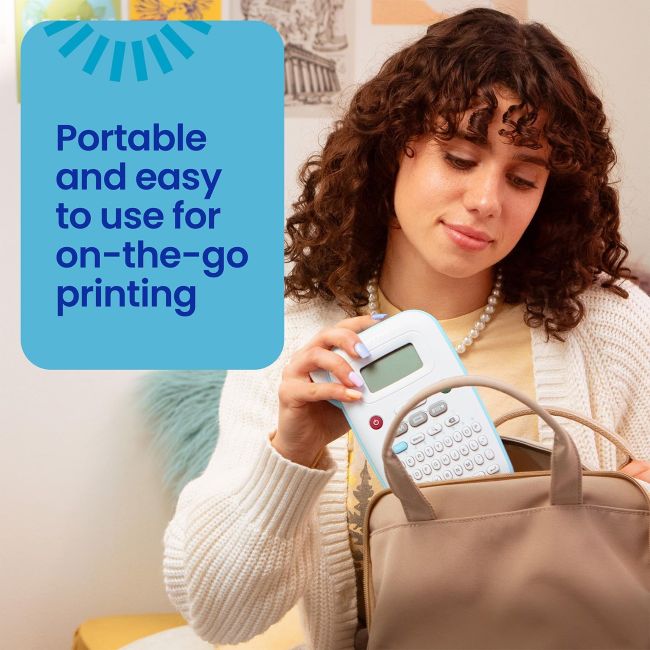
At just 16 ounces and a compact footprint, the PT-N10 is genuinely easy to store in a drawer, backpack, or tote without taking up significant space. The built-in manual cutter lets you trim each label cleanly right after printing, without needing scissors or a separate cutting tool.
The 12-character LCD display gives you a real-time preview of your label text before committing it to tape, which directly reduces wasted tape from typos or formatting mistakes.
Materials & Construction
The device uses thermal printing technology, meaning it prints directly onto the Btag tape without needing a separate ink cartridge or ribbon. That thermal design keeps the printer mechanism relatively simple and reduces the ongoing consumables you need to manage beyond the tape itself.
Because the PT-N10 works exclusively with Btag tape rather than Brother’s more common TZe tape line, it’s worth noting this compatibility limitation before purchasing additional tape cartridges, since the two tape systems aren’t interchangeable.
Performance
The full QWERTY keyboard makes typing labels considerably faster and more intuitive than the alphabetic or scroll-based input methods found on some ultra-basic label makers. Combined with the 12-character preview display, you can catch errors before printing rather than after wasting a length of tape.
With a print speed of 9mm per second and 180 dpi resolution, the PT-N10 produces clear, legible text and symbols suited to personal labeling tasks, though it’s not built for high-volume or industrial print runs.
Comfort / Usability
Saving up to 10 frequently used labels is a genuinely practical feature for repeat printing, letting you reprint a common label, like a name tag or category header, without retyping or reformatting it each time. Battery power keeps the device fully portable, letting you label items anywhere without needing to stay near an outlet, though it also means keeping spare AAA batteries on hand for uninterrupted use.
Features Explained
Btag color tape system matters because it opens up a range of creative, personal labeling options that plain black-on-white tape simply can’t offer, making the PT-N10 better suited to expressive, decorative labeling than basic utilitarian tasks.
Full QWERTY keyboard with LCD preview matters because it speeds up label creation significantly and reduces the trial-and-error of printing, checking, and reprinting labels with typos.
Saved label memory matters because it eliminates repetitive retyping for labels you use often, which adds up in time savings for anyone doing regular label-based organization.
Real World Usage
A common use case is a parent labeling a child’s school supplies with color-coded tape by subject or by child, making items easy to identify at a glance in a shared backpack or locker. Home organizers also use the PT-N10 to label storage bins, spice jars, or travel-size toiletry bottles, taking advantage of the colorful tape options to make categories visually distinct rather than relying on text alone.
Benefits
- Wide range of colorful tape options for personalized, expressive labeling
- Full QWERTY keyboard speeds up typing compared to alphabetic input
- LCD preview reduces wasted tape from typos or formatting errors
- Saves up to 10 labels for quick, convenient reprinting
- Compact, portable design suited to on-the-go use
Limitations
- Works exclusively with Btag tape, not compatible with Brother’s more widely available TZe tape line
- No AC adapter option, requiring 6 AAA batteries for all use
- Best suited to personal and light home use rather than industrial or heavy-duty labeling tasks
Who Should Buy It?
This label maker fits students, home organizers, and anyone who wants colorful, personalized labels for everyday organization rather than industrial or professional labeling needs. It works well as an entry point for someone new to label makers who wants an approachable, style-focused option.
Who Should Avoid It?
Anyone needing labels for cable management, electrical panels, or other industrial applications should look at Brother’s dedicated industrial labeling tools instead, since the PT-N10 is built specifically for personal and home use. Buyers who already own a collection of Brother TZe tape cartridges should note that the PT-N10 won’t work with that existing tape supply.
Comparison with Similar Products
Compared to Brother’s PT-N20 desktop model, the PT-N10 offers a similar Btag-based colorful tape system in a more compact, fully handheld form factor. Compared to Brother’s industrial-focused PT-E110, which uses durable TZe and HGe tape for cable and electrical labeling, the PT-N10 trades industrial durability for a lighter, more colorful, personal-use experience better suited to home and school organization.
Key Features Table
| Feature | Why It Matters |
|---|---|
| Btag Colorful Tape System | Enables personalized, expressive labeling beyond plain black-on-white |
| Full QWERTY Keyboard | Speeds up typing and label creation |
| 12-Character LCD Preview | Reduces wasted tape from typos before printing |
| Saves Up to 10 Labels | Simplifies reprinting frequently used labels |
| Built-In Manual Cutter | Provides clean, consistent label edges without extra tools |
| Compact, Portable Design | Fits easily in a drawer, backpack, or bag for on-the-go labeling |
Pros & Cons Table
| Pros | Cons |
|---|---|
| Wide variety of colorful tape options | Exclusively compatible with Btag tape, not TZe |
| Fast, intuitive full keyboard typing | No AC adapter option, battery-only power |
| LCD preview reduces printing errors | Best suited to personal use, not industrial tasks |
| Saves frequently used labels for reprinting | Requires keeping spare AAA batteries on hand |
Cleaning Tips
Wipe the exterior casing with a soft, dry cloth to remove dust and fingerprints, avoiding liquid cleaners near the tape slot or battery compartment. Keep the tape cutter mechanism free of adhesive residue by gently wiping it after tape changes, since built-up residue can affect cutting quality over time.
Maintenance Tips
Store spare Btag tape cartridges in a cool, dry place to preserve adhesive quality and print clarity until you’re ready to use them. Replace all 6 AAA batteries at the same time rather than mixing old and new batteries, since uneven power levels can affect print quality and consistency.
Troubleshooting Tips
If the display shows faded or inconsistent text, check the battery level first, since low battery power is a common cause of print quality issues on battery-only devices. If a label doesn’t cut cleanly, inspect the manual cutter for adhesive buildup and clean it gently, since residue accumulation can dull the cutting edge over time.
What Real Buyers Appreciate
Buyer feedback on the Brother P-Touch PT-N10 generally points to strong overall satisfaction once users get set up and start labeling, particularly around the ease of use and colorful tape variety. Reviewers commonly mention the QWERTY keyboard and preview display as genuinely helpful for avoiding mistakes compared to more basic label makers. As with any newer product, individual experiences can vary, so checking current reviews for your specific retailer is worth doing before purchase.
Frequently Asked Questions
What type of tape does the Brother P-Touch PT-N10 use?
It works exclusively with Brother’s Btag ~½” (12mm) tape, available in 17 color varieties, and is not compatible with Brother’s TZe tape line.
Does the PT-N10 require batteries?
Yes, it operates on 6 AAA batteries, which are not included, and there is no AC adapter option available for this model.
How many lines of text can I print on one label?
It supports up to two lines of text with a combined height of 7mm.
Can I save labels I use often?
Yes, the PT-N10 saves up to 10 frequently used labels for quick reprinting without needing to retype them.
What is the display screen used for?
The 12-character LCD display lets you preview your label text and length before printing, helping avoid typos and wasted tape.
Is this label maker suited for industrial or cable labeling?
No, it’s designed for personal and home use; industrial labeling tasks are better suited to Brother’s dedicated industrial label makers using TZe or HGe tape.
Does the PT-N10 have a built-in cutter?
Yes, it includes a built-in manual cutter for clean, consistent label edges.
How fast does the PT-N10 print labels?
It prints at a speed of 9mm per second with a maximum resolution of 180 dpi.
Final Verdict
The Brother P-Touch PT-N10 delivers a genuinely approachable, colorful labeling experience built specifically for personal and home use. If you’re comparing the Best Affordable Label Maker, its full keyboard, helpful preview display, and wide range of Btag tape colors make it a smart pick for students, families, and home organizers. Just keep in mind its Btag-only tape compatibility and battery-only power design before choosing it for your labeling needs.
Call To Action
If you want an easy, colorful way to label everything from school supplies to storage bins, the Brother P-Touch PT-N10 is worth adding to your organization toolkit. Compare current pricing and available Btag tape colors to find the right combination for your labeling projects.