
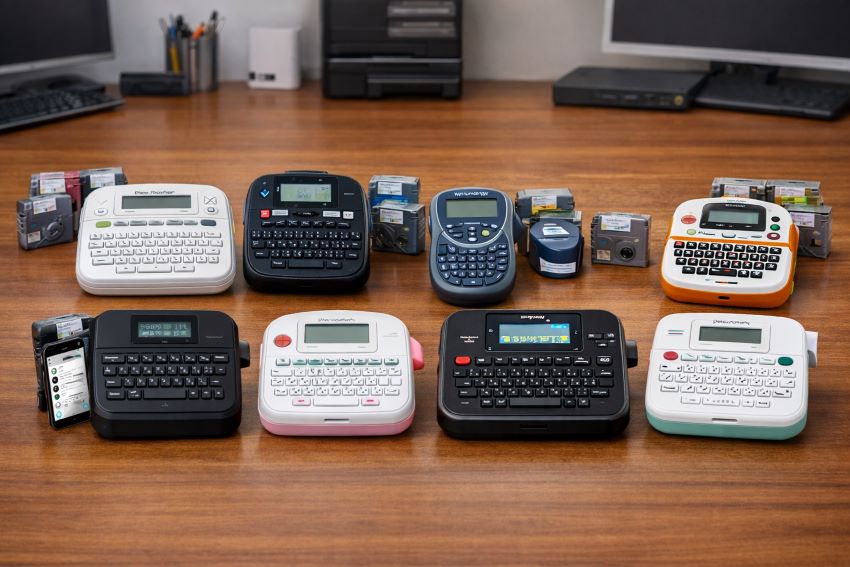
Organization is no longer a luxury; it’s a necessity. Whether you’re managing a busy household or streamlining office workflows, a reliable label maker can save time, reduce clutter, and boost productivity. In 2026, the market is flooded with affordable yet feature-rich models that promise professional-quality labeling without breaking the bank. Choosing the right one requires careful consideration of usability, durability, connectivity, and cost-effectiveness. This guide compares eight of the best affordable label makers for home and office use, highlighting their strengths, weaknesses, and real-world performance.
Why Label Makers Matter
Label makers are more than gadgets; they’re productivity tools. According to a 2025 survey by OfficeTech Insights, 68% of professionals reported improved efficiency after adopting labeling systems. Home users also benefit, with 72% saying labels reduced household clutter. Therefore, investing in a label maker is not just about aesthetics—it’s about creating order and saving time.
Best Affordable Label Maker at a Glance
Here are the top contenders for the Best Affordable Label Maker 2026: 8 Models Compared for Home & Office:
- Brother P-Touch PTD210
- DYMO LabelManager 160
- DYMO LetraTag 100H
- Brother P-Touch PTH110BP
- SUPVAN E11 Bluetooth Label Maker
- Brother P-Touch PT-N10
- Brother P-Touch PT-D610BT
- Brother P-Touch PT-N25BT
Best Affordable Label Maker Comparison: Which One Fits Your Needs?
1. Brother P-Touch PTD210
Best for: Beginners and home organization
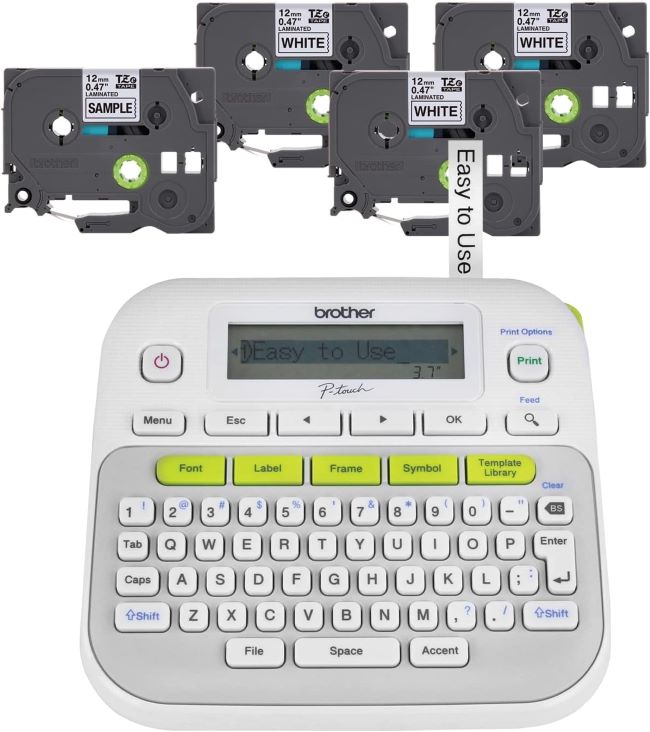
The Brother P-Touch PTD210 is a fan favorite for a reason. It’s incredibly user-friendly, with a straightforward design and four included label tapes to get you started. The one-touch keys make formatting a breeze, and the 14 fonts, 97 frames, and over 600 symbols ensure your labels are both functional and fun.
Key Features Table:
| Feature | Detail |
|---|---|
| Display | Graphic LCD |
| Power Source | 6 AA batteries |
| Label Width | Up to 12mm |
| Connectivity | None (standalone) |
Pros & Cons Table:
| Pros | Cons |
|---|---|
| Easy to use, great for beginners | No rechargeable battery option |
| Includes 4 label tapes | Limited to 12mm label width |
| Durable and reliable | No advanced connectivity features |
2. DYMO LabelManager 160
Best for: Office organization and heavy-duty labeling
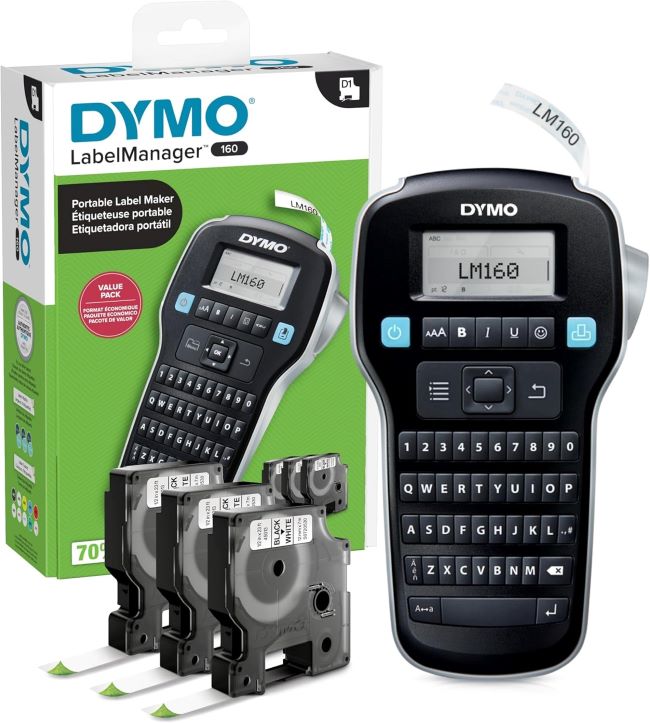
If you need a workhorse for the office, the DYMO LabelManager 160 is your best bet. Its QWERTY keyboard and large graphic display make typing and editing labels effortless. The one-touch smart keys allow for quick formatting, and it supports labels up to 12mm wide.
Key Features Table:
| Feature | Detail |
|---|---|
| Display | Large graphic LCD |
| Power Source | 6 AA batteries |
| Label Width | Up to 12mm |
| Connectivity | None (standalone) |
Pros & Cons Table:
| Pros | Cons |
|---|---|
| Fast and efficient for office use | Bulkier than portable models |
| Large display for easy editing | No Bluetooth or app connectivity |
| Includes 3 D1 label cassettes | Higher price point |
3. DYMO LetraTag 100H
Best for: Portability and simplicity
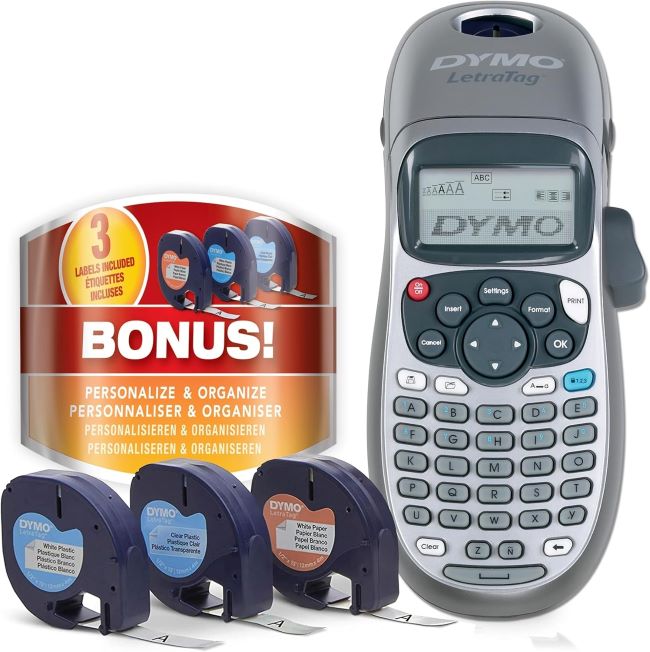
The DYMO LetraTag 100H is the ultimate grab-and-go label maker. Its compact design fits in a drawer or bag, and the one-hand operation makes it perfect for quick tasks. While it lacks advanced features, its simplicity and affordability make it a top pick for casual users.
Key Features Table:
| Feature | Detail |
|---|---|
| Display | Basic LCD |
| Power Source | 4 AAA batteries |
| Label Width | Up to 9mm |
| Connectivity | None (standalone) |
Pros & Cons Table:
| Pros | Cons |
|---|---|
| Ultra-portable and lightweight | Limited label width (9mm) |
| Affordable and easy to use | No advanced formatting options |
| Great for quick, simple labels | Smaller display |
4. Brother P-Touch PTH110BP
Best for: Travel-friendly labeling
The Brother P-Touch PTH110BP is compact yet powerful. It’s slightly more advanced than the PTD210, with additional fonts and symbols, making it ideal for home and small office use. The four included label tapes add value, and their portable size means you can take them anywhere.
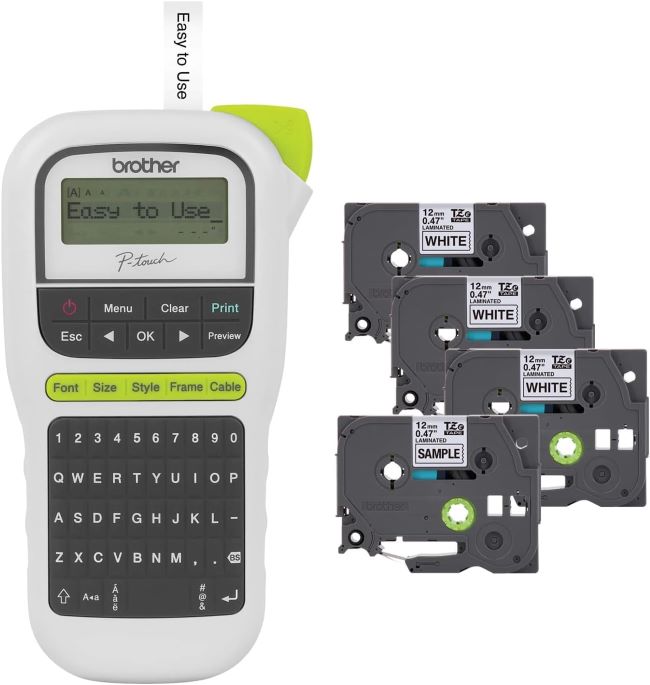
Key Features Table:
| Feature | Detail |
|---|---|
| Display | Graphic LCD |
| Power Source | 6 AA batteries |
| Label Width | Up to 12mm |
| Connectivity | None (standalone) |
Pros & Cons Table:
| Pros | Cons |
|---|---|
| Portable and easy to carry | No rechargeable battery |
| Includes 4 label tapes | Limited connectivity options |
| Durable and reliable | Slightly higher price than basic models |
5. SUPVAN E11
Best for: Tech-savvy users who want smart features
The SUPVAN E11 is a game-changer for those who love tech. With Bluetooth connectivity and a dedicated app, you can design labels on your phone and print wirelessly. It supports 30+ fonts and 660+ icons, making it perfect for creative projects. The rechargeable battery is a huge plus for eco-conscious users.
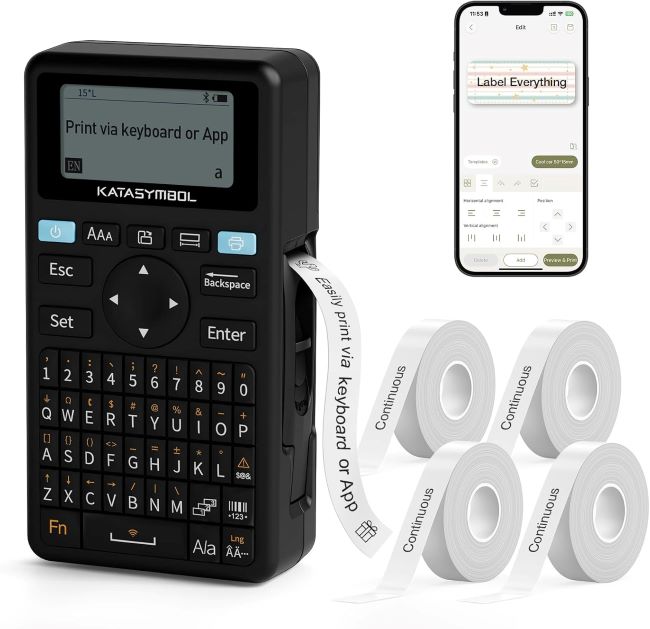
Key Features Table:
| Feature | Detail |
|---|---|
| Display | LCD touchscreen |
| Power Source | Rechargeable lithium battery |
| Label Width | Up to 12mm |
| Connectivity | Bluetooth, app support |
Pros & Cons Table:
| Pros | Cons |
|---|---|
| Wireless printing via app | App can be glitchy at times |
| Rechargeable battery | Higher learning curve for beginners |
| 30+ fonts and 660+ icons | Slightly bulkier than basic models |
6. Brother P-Touch PT-N10
Best for: Personal and craft projects
The Brother P-Touch PT-N10 is tiny but mighty. It’s perfect for personal use, like labeling crafts, scrapbooks, or home items. The color label tapes add a fun touch, and its ultra-portable design means you can label on the go.
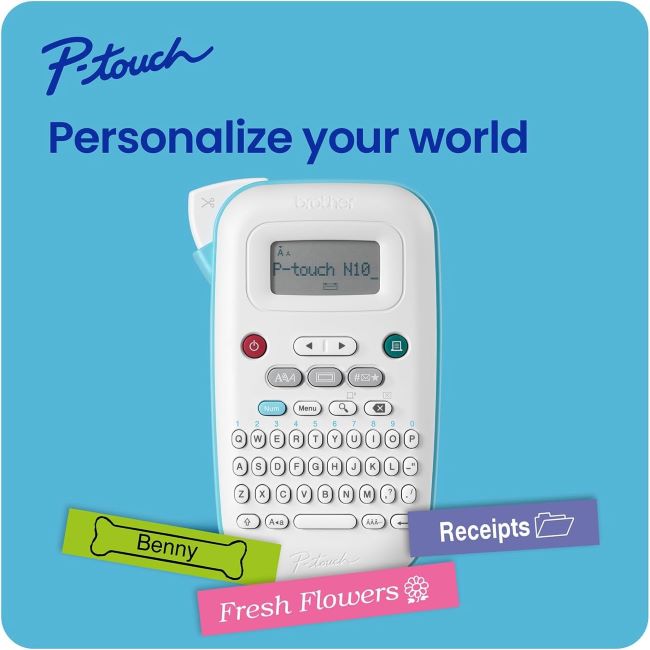
Key Features Table:
| Feature | Detail |
|---|---|
| Display | Basic LCD |
| Power Source | 4 AAA batteries |
| Label Width | Up to 12mm |
| Connectivity | None (standalone) |
Pros & Cons Table:
| Pros | Cons |
|---|---|
| Ultra-compact and portable | Limited to basic labeling tasks |
| Affordable and fun for crafts | No advanced features |
| Color label tapes included | Smaller display |
7. Brother P-Touch PT-D610BT
Best for: Professional and business use
For serious labeling needs, the Brother P-Touch PT-D610BT is a powerhouse. It connects via Bluetooth to your phone or computer, allowing for custom designs and professional-grade labels. The 1-inch label width is perfect for shipping labels, file folders, and office organization.
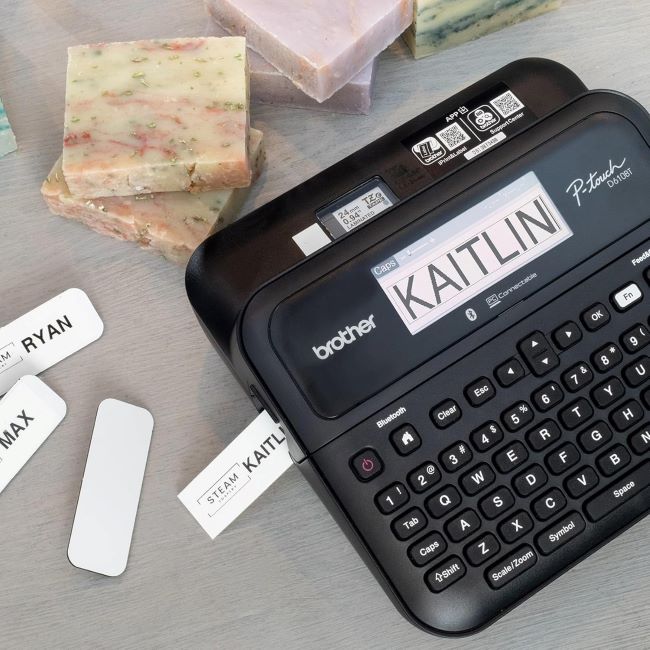
Key Features Table:
| Feature | Detail |
|---|---|
| Display | Graphic LCD |
| Power Source | 6 AA batteries or AC adapter |
| Label Width | Up to 24mm (1 inch) |
| Connectivity | Bluetooth, app/PC connectivity |
Pros & Cons Table:
| Pros | Cons |
|---|---|
| Professional-grade labels | Higher price point |
| Bluetooth and app connectivity | Bulkier than portable models |
| Supports 1-inch wide labels | Requires more setup |
8. Brother P-Touch PT-N25BT
Best for: Smart home integration and customization
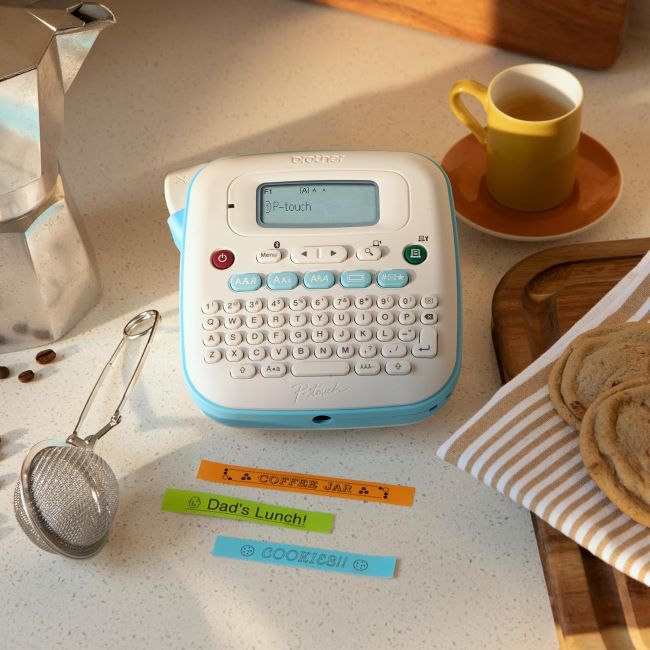
The Brother P-Touch PT-N25BT is perfect for tech lovers. With Bluetooth connectivity and the Design&Print2 app, you can create custom labels with ease. It’s portable yet powerful, making it ideal for home and small office use.
Key Features Table:
| Feature | Detail |
|---|---|
| Display | Graphic LCD |
| Power Source | 6 AA batteries |
| Label Width | Up to 12mm |
| Connectivity | Bluetooth, app support |
Pros & Cons Table:
| Pros | Cons |
|---|---|
| Wireless printing via app | App can be complex for beginners |
| Portable and easy to use | Limited to 12mm label width |
| Customizable designs | Higher price than basic models |
Common Cleaning Tips for Your Label Maker
Keeping your label maker in top shape ensures longevity and performance. Here’s how:
- Regularly wipe the exterior with a soft, dry cloth to remove dust.
- Clean the print head gently with a cotton swab and rubbing alcohol if labels appear faded.
- Store in a cool, dry place to prevent battery corrosion.
- Remove label tapes when not in use to avoid jams.
Maintenance and Troubleshooting Tips
Even the best label makers can act up. Here’s how to fix common issues:
- Labels aren’t printing clearly? Check the print head for debris or replace the batteries.
- Tape jams? Open the tape compartment and gently remove the stuck tape.
- Display not working? Ensure the batteries are properly inserted or try resetting the device.
What Real People Say — Voices from the Community
We scoured forums and reviews to bring you real user experiences:
- “The Brother PTD210 changed my pantry game! No more guessing what’s in my containers.” — Sarah M., Home Organizer
- “The DYMO 160 is a lifesaver in our busy office. We label everything from files to equipment.” — Mark T., Small Business Owner
- “I love the SUPVAN E11’s app. I design labels on my phone and print them in seconds!” — Lisa K., DIY Enthusiast
Relevant FAQs
Q: Can I use third-party label tapes?
A: Most label makers work best with brand-specific tapes, but some generic options may fit. Always check compatibility.
Q: How long do the batteries last?
A: Battery life varies. Rechargeable models like the SUPVAN E11 last longer, while AA-powered models may need replacements every few months.
Q: Are these label makers kid-friendly?
A: Models like the Brother PT-N10 are safe for supervised use, but always keep small parts away from young children.
Final Thought: Which Label Maker Should You Buy?
Choosing the best affordable label maker depends on your needs:
- For beginners: Brother PTD210 or DYMO LetraTag 100H
- For offices: DYMO LabelManager 160 or Brother PT-D610BT
- For tech lovers: SUPVAN E11 or Brother PT-N25BT
- For portability: Brother PT-N10 or PTH110BP
Ready to Transform Your Space? Grab Your Label Maker Today!
Don’t let clutter control your life. Invest in a label maker and experience the joy of effortless organization. Whether you’re labeling your kitchen, office, or craft supplies, the right tool makes all the difference.
Related Topics:
1) Best Label Makers 2026: Brother, DYMO, SUPVAN & Nelko Compared
2) How to Choose the Best Label Maker for Your Workspace