
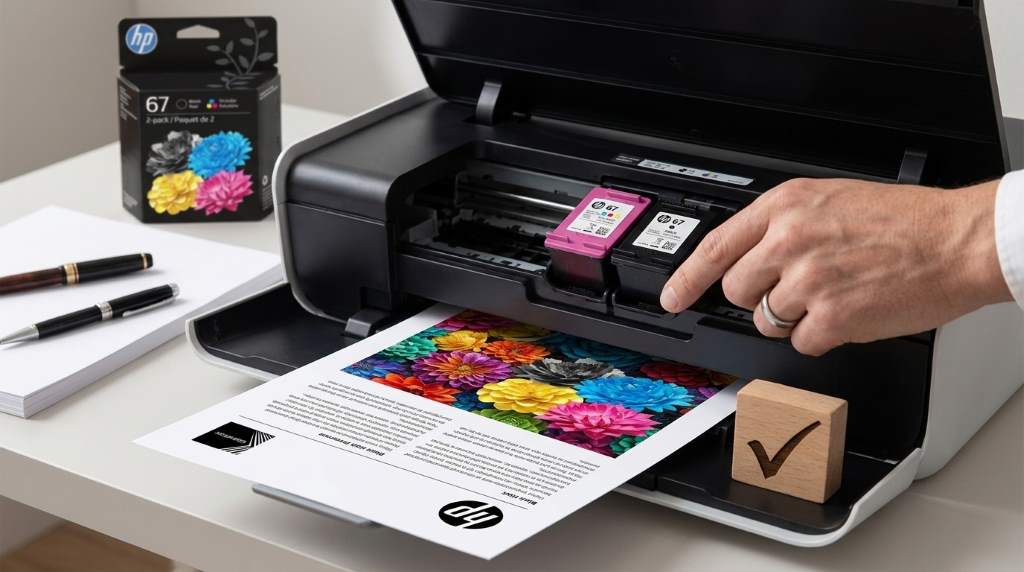
Yes, HP 67 Black Tri Color Ink Cartridges are worth buying for light home and school printing. However, frequent printers can save more with HP 67XL because standard cartridges yield about 120 black pages and 100 color pages.
HP rates the standard black cartridge at approximately 120 pages and the tri color cartridge at approximately 100 pages. Therefore, your printing habits matter more than the cartridge’s initial purchase price. The HP 67 Black Tri Color Ink Cartridges combination makes sense when compatibility and dependable everyday output matter.
The Short Answer: Are HP 67 Cartridges Worth Buying?
For occasional printing, genuine HP 67 cartridges remain a sensible purchase. They provide reliable compatibility, clean text, and consistent color output with supported HP printers.
However, standard cartridges become less attractive when your printer runs several times each week. In that situation, higher yield cartridges can reduce replacement frequency and improve your overall printing value.
Therefore, the right answer depends on volume, document type, color usage, and how often you replace cartridges. A household printing a few pages weekly has different needs than a busy home office.
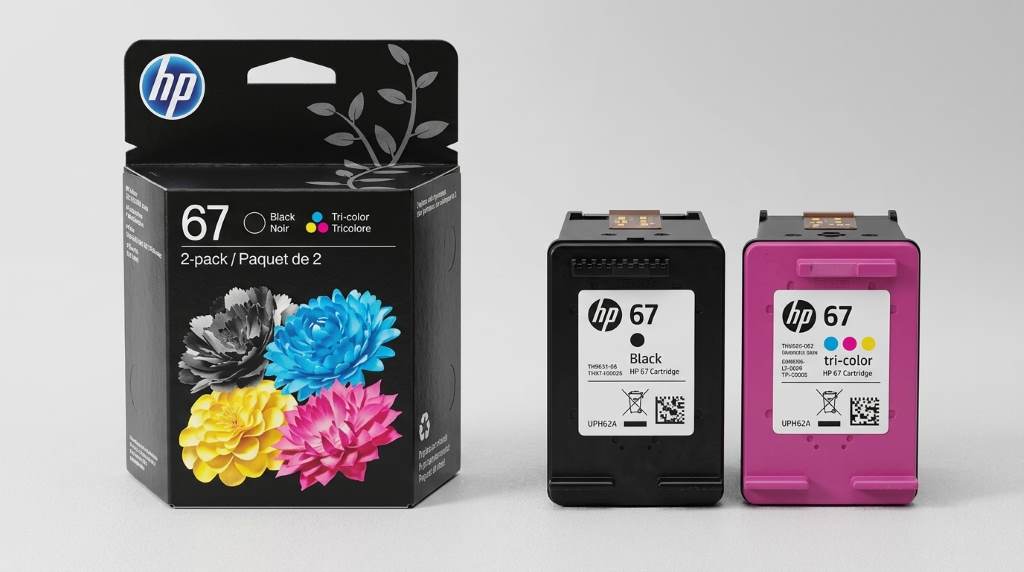
What You Actually Get With HP 67
HP 67 belongs to HP’s standard capacity ink cartridge family. The black cartridge uses pigment based ink, while the tri color cartridge uses dye based ink.
HP lists approximately 120 pages for the black cartridge under its testing conditions. The tri color cartridge delivers approximately 100 pages under comparable testing conditions.
Those numbers provide a useful benchmark, but they do not guarantee your personal page count. Full page graphics, photographs, heavy formatting, and frequent cleaning can consume ink faster.
HP 67 Black Cartridge
The black cartridge suits documents containing letters, forms, invoices, homework, and other text focused material. Its pigment based ink also supports crisp text on ordinary paper.
Consequently, people who mainly print documents may consume black ink faster than color ink. That difference can influence which cartridge becomes your recurring expense.
HP 67 Tri Color Cartridge
The tri color cartridge combines cyan, magenta, and yellow ink inside one cartridge. It handles charts, school projects, graphics, simple flyers, and occasional photographs.
However, the shared color design creates an important limitation. When one color runs low, you may need to replace the cartridge even when other colors remain.
HP 67 vs HP 67XL: Which Offers Better Value?
HP 67XL provides roughly twice the rated page yield of standard HP 67 cartridges. The XL black cartridge reaches approximately 240 pages, while the XL tri color cartridge reaches approximately 200 pages.
That difference matters because fewer replacements can make regular printing easier. You also spend less time ordering, installing, and disposing of cartridges.
Still, XL does not automatically provide better value for everyone. Occasional users may leave a cartridge installed for long periods before using its full capacity.
| Feature | HP 67 | HP 67XL |
|---|---|---|
| Black yield | About 120 pages | About 240 pages |
| Tri color yield | About 100 pages | About 200 pages |
| Capacity | Standard | High yield |
| Best for | Occasional printing | Regular printing |
| Replacement frequency | Higher | Lower |
In practical terms, compare the cost per usable page instead of comparing cartridge prices alone. Divide the cartridge price by its rated yield to understand the real operating cost.
For example, a cartridge costing $20 and yielding 100 pages costs $0.20 per rated page. A $30 cartridge yielding 200 pages costs $0.15 per rated page.
Where HP 67 Cartridges Make Sense
HP 67 cartridges work particularly well for people with modest and predictable printing needs. They provide a straightforward solution without requiring a larger upfront cartridge purchase.
- Occasional household printing
- School assignments and worksheets
- Basic business documents
- Forms and invoices
- Simple color graphics
- Light home office printing
Moreover, genuine cartridges can reduce compatibility uncertainty. That benefit becomes important when you need a document printed correctly without troubleshooting an unfamiliar cartridge.
When HP 67 Standard Cartridges Become Expensive
Standard cartridges become harder to justify when your printer handles frequent document batches. Replacing cartridges repeatedly can quickly outweigh the convenience of the lower capacity option.
High color usage creates another problem because the tri color cartridge combines three separate ink colors. A project that heavily uses one color can exhaust that color before the others.
Therefore, frequent users should calculate monthly cartridge consumption rather than focusing on individual purchases. That approach reveals whether standard capacity actually fits your printing routine.
Print Quality: Does HP 67 Deliver?
For ordinary documents, HP 67 delivers sharp black text and dependable color output. The results suit schoolwork, forms, charts, correspondence, and everyday household documents.
Print quality also depends heavily on paper, printer condition, print settings, and cartridge handling. Even a genuine cartridge cannot compensate for clogged nozzles or unsuitable paper.
For photos, expectations should remain realistic because standard ink cartridges target everyday printing. Dedicated photo printing may require better paper and more specialized equipment.
Compatibility Matters More Than Price
Before buying HP 67, verify the exact cartridge family supported by your printer. HP uses different cartridge numbers across printer models, and similar looking cartridges can create confusion.
Supported printers include various HP DeskJet and ENVY models. However, compatibility varies by model and region, so check your printer documentation before ordering.
Never rely solely on a marketplace listing title when buying replacement ink. Match the cartridge number shown for your specific printer to avoid an expensive compatibility mistake.
Check These Details Before Buying
- Confirm your printer model.
- Match the cartridge number.
- Verify black or tri color requirements.
- Compare standard and XL yields.
- Check whether you print mostly text or graphics.
- Calculate estimated cost per page.
Original HP vs Compatible HP 67 Cartridges
Compatible cartridges can appear attractive because they often promise lower upfront costs. However, the cheapest cartridge does not always deliver the lowest real printing cost.
Third party cartridges can vary in ink volume, color consistency, reliability, and printer recognition. Some users may experience excellent results, while others encounter compatibility or print quality problems.
Original HP cartridges provide a more predictable experience with supported HP printers. Therefore, users who value reliability may consider the additional purchase cost worthwhile.
Budget focused users can still investigate compatible alternatives carefully. Look for clear yield information, recent customer feedback, return protection, and printer compatibility.
The Biggest Advantage: Predictable Printing
One overlooked benefit of genuine HP 67 cartridges involves predictability. You know the cartridge family, rated yield, supported printer range, and expected installation process.
That predictability matters when printing important documents under time pressure. A slightly higher cartridge cost may seem reasonable when avoiding failed pages and repeated troubleshooting.
Additionally, HP states that its original cartridges meet its quality standards. The company also uses recycled content in many original cartridges.
The Biggest Drawback: Limited Page Yield
The main weakness of standard HP 67 cartridges is their relatively modest capacity. About 120 black pages and 100 color pages can disappear quickly during active printing.
Consequently, frequent users may experience repeated cartridge changes. That inconvenience becomes more noticeable when printing large assignments, business records, or color heavy materials.
The standard cartridge therefore works best when printing remains occasional. Heavy users should compare HP 67XL before committing to repeated standard cartridge purchases.
How to Decide If HP 67 Fits Your Printing Habits
Start by tracking how many pages your household prints during an average month. Then separate black document printing from color printing because their cartridge consumption differs.
If you print fewer than several dozen pages monthly, standard cartridges may provide enough capacity. Meanwhile, frequent weekly printing can make XL cartridges more practical.
Next, calculate your approximate cost per page using actual cartridge prices. Finally, consider replacement frequency because convenience has real value for busy households.
Use HP 67 If You:
- Print occasionally.
- Need dependable everyday documents.
- Prefer original manufacturer supplies.
- Use moderate amounts of color.
- Want simple cartridge replacement.
Consider HP 67XL If You:
- Print every week.
- Produce large document batches.
- Use color frequently.
- Dislike frequent cartridge replacement.
- Want more pages from each installation.
Ways to Make HP 67 Ink Last Longer
You can reduce ink consumption without changing your printer. Start by selecting draft or economy settings for documents that do not need premium quality.
Also, avoid unnecessary color printing when black text communicates the information clearly. Before printing, preview every document and remove blank pages, oversized images, and unnecessary graphics.
Use appropriate paper settings because incorrect settings can affect ink coverage. Keep cartridges installed correctly and follow the printer’s maintenance instructions when print quality declines.
- Use draft mode for routine documents.
- Print in black when color adds no value.
- Preview documents before printing.
- Remove unnecessary images.
- Use suitable paper settings.
- Maintain the printer according to its instructions.
What Competitor Reviews Often Miss
Many cartridge comparisons focus almost entirely on price and page yield. Those numbers matter, but they do not fully explain ownership value.
A better comparison considers compatibility, actual printing habits, color cartridge limitations, replacement frequency, and document importance. Those factors often determine whether a cartridge feels economical after several months.
Another overlooked issue involves the difference between rated yield and personal yield. Your pages may contain substantially more ink coverage than standardized testing pages.
Therefore, treat advertised yield as a comparison benchmark rather than a guaranteed personal result. Your documents, settings, paper, and printer maintenance can change actual consumption.
Common Buying Mistakes to Avoid
Many buyers purchase cartridges without checking the exact printer model. This mistake can leave you with an unopened cartridge that cannot serve your printer.
Another mistake involves comparing only upfront prices. A cheaper cartridge with substantially lower yield may cost more after several replacements.
Finally, avoid assuming every third party listing offers identical performance. Cartridge construction, ink formulation, testing standards, and support can vary significantly between sellers.
Our Verdict
HP 67 Black Tri Color Ink Cartridges are worth buying when you need reliable ink for light or moderate printing. Their standard capacity makes more sense for occasional users than for people with heavy monthly workloads.
The strongest reason to buy them involves predictable compatibility and dependable everyday print quality. However, frequent printers should compare HP 67XL because its higher yield can reduce replacement frequency.
Ultimately, calculate cost per page using your expected printing volume. If convenience and reliability matter most, genuine HP 67 remains a practical choice for supported printers.
Frequently Asked Questions
Are HP 67 cartridges good for everyday printing?
Yes, HP 67 cartridges work well for routine documents, schoolwork, forms, and occasional color printing.
How many pages does HP 67 black print?
HP rates the standard HP 67 black cartridge for approximately 120 pages under its testing conditions.
How many pages does HP 67 tri color print?
HP rates the standard HP 67 tri color cartridge for approximately 100 pages under its testing conditions.
Is HP 67XL better than HP 67?
HP 67XL usually suits regular printers better because its rated capacity roughly doubles standard cartridge yields.
Should I buy original or compatible HP 67 cartridges?
Original HP cartridges offer predictable compatibility, while compatible cartridges can reduce costs but vary in performance.
Conclusion
HP 67 Black Tri Color Ink Cartridges make sense when you prioritize dependable printing and moderate cartridge usage. Before buying, confirm compatibility and compare your expected cost per page with HP 67XL.
For occasional printing, the standard cartridges can deliver a straightforward and reliable experience. For frequent printing, compare high yield options before placing your next order.
Use your monthly page count as the deciding factor, rather than choosing based only on the cartridge’s shelf price. That simple calculation can help you spend less and replace cartridges less often.