
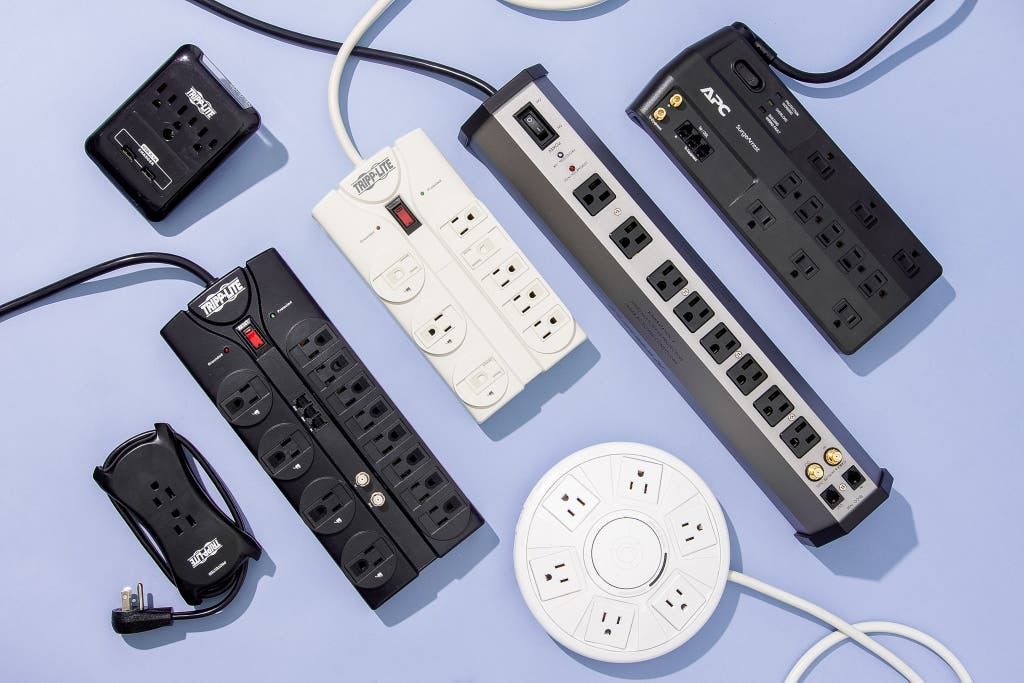
Picture this. It’s a busy Tuesday morning in your office. Deadlines loom. Coffee brews. Then, click. Your computer screen goes black. The printer stops humming. Lights flicker. You trace the problem to the power strip under your desk. It tripped again. Frustration hits. But wait. Can you reset a tripped power strip in the office and get back to work fast?
A tripped power strip happens when its built-in breaker senses too much current. This cuts power to prevent fires or damage. Power strips, often with surge protection, act as guards for your electronics. They extend outlets but include safety switches. Resetting one brings power back. But do it wrong, and risks grow.
Stats paint a clear picture. The U.S. Fire Administration reports electrical malfunctions spark 51,000 home fires yearly. Power strips play a role in many. In offices, the National Fire Protection Association notes electrical distribution gear, like strips, causes 10% of non-residential fires. Ground faults from worn insulation trigger 90% of such issues. These numbers show why safe resets matter. They save time and lives.
This guide walks you through resets. It covers causes, steps, and prevention. You gain practical tips for office setups. Stay safe. Keep productivity high.
What Is a Tripped Power Strip and Why Does It Happen?
Power strips multiply outlets. They power desks full of laptops, monitors, and chargers. A tripped one shuts off suddenly. No warning. Just silence.
Inside, a circuit breaker trips. This small switch detects overloads. It breaks the flow. Think of it as a pause button for electricity. Surges or excess load flip it.
Common causes stack up in offices. Overloading tops the list. Plug too many devices. Current surges past limits. Heat builds. The breaker acts.
Surges strike next. Lightning or grid glitches spike voltage. Strips absorb some. But big hits overwhelm. The National Electrical Code pushes arc-fault breakers to fight this.
Short circuits sneak in. Frayed cords touch. Sparks fly. Breakers cut power quick.
Faulty gear hurts too. Old strips wear out. Insulation cracks. Dust builds. Moisture creeps. All invite trips.
In one office case, a team daisy-chained strips. They powered 10 devices on one wall outlet. The setup overloaded. Fire nearly started. Workers unplugged fast. But damage hit hard.
OSHA flags these risks. They ban high-load plugs like heaters on strips. Follow rules. Spot signs early. Buzzing noises. Warm smells. Flickering lights. These warn of trouble.
Resetting fixes most. But understand why first. It prevents repeats.
Step-by-Step Guide: How to Safely Reset a Tripped Power Strip
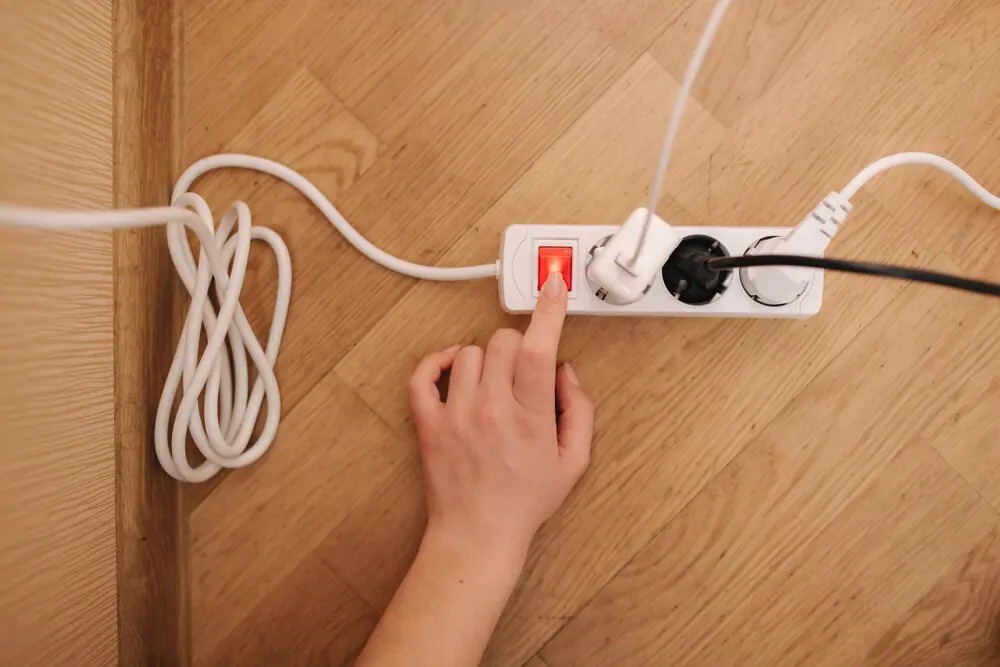
Reset a tripped power strip in the office with care. Haste leads to shocks. Follow these steps. They keep you safe.
Step 1: Unplug Everything
Pull all plugs from the strip. Start with high-draw items. Laptops next. Chargers last. This clears the load. It lets the breaker cool.
Why? Overloads linger. Hot wires spark risks. Give it five minutes. Touch the strip. It should feel normal.
Step 2: Check for Damage
Inspect the strip. Look for burns. Cracks. Frayed cords. Melted plugs. If you see any, toss it. Do not reset.
Test the wall outlet. Plug a lamp direct. If it works, move on. If not, call maintenance.
Step 3: Locate the Reset Button
Find the small red or black button. It sits near the power switch. Often labeled “Reset.” Press it firm. You hear a click.
Some strips auto-reset. Power returns slow. Wait. Test with one device.
Step 4: Plug Back In Gradually
Add devices one by one. Start low-power. A phone charger. Then a lamp. Monitor the strip. No heat? Add more.
Track total amps. Most offices run 15-amp circuits. Stay under 12 amps total.
Step 5: Test and Monitor
Turn on your setup. Watch for trips. If it flips again, unplug. Seek help.
In a real office fix, Sarah from accounting reset her strip this way. She unplugged her space heater first. Power stayed on. Team cheered.
Tools help. Use a circuit tester. It checks voltage. Safe at 120 volts.
Wear rubber gloves. Stand on dry floors. Keep hands dry. These basics shield you.
Safety Precautions Before and After Resetting
Safety first. Always. Offices buzz with people. One slip sparks panic.
Before reset:
- Warn colleagues. “Power off for a minute.”
- Clear wet spills. Water conducts shocks.
- Shut off nearby breakers if unsure.
After reset:
- Log the event. Note time. Devices plugged.
- Schedule checks. Monthly inspections spot wear.
- Train staff. Quick huddles teach basics.
OSHA stresses listed gear. UL-marked strips only. No daisy chains. Plug direct to walls.
A Chicago office learned hard. They chained strips. A surge hit. Fire alarm blared. No injuries. But downtime cost hours.
Build habits. Label strips with amp limits. Post signs. “Max 12A.”
Common Mistakes to Avoid When Dealing with Tripped Power Strips
Mistakes multiply risks. Avoid them. Keep offices humming.
- Ignoring trips. One flip means check now. Not later.
- Overloading post-reset. Same devices cause repeats.
- Using damaged strips. Cracks invite shocks.
- Daisy-chaining. Strips into strips overload circuits.
- Plugging heaters. They draw 1500 watts. Strips can’t handle.
In a New York firm, an admin reset without unplugging. Shock zapped her hand. Minor burn. But scary.
Skip extensions with strips. They add resistance. Heat rises.
Bypass buttons? Never. They protect you.
When to Call a Professional: Signs It’s More Than a Simple Trip
Resets work for basics. But red flags scream pro help.
- Frequent trips. Twice weekly? Wiring faults.
- Burning smells. Wires overheat.
- No reset button works. Internal failure.
- Sparks or smoke. Fire hazard.
- Whole room darkens. Main breaker issue.
OSHA reports 90% ground faults from insulation wear. Call electricians. They trace roots.
A Texas office ignored trips. Faulty panel sparked. Evacuation. Repairs ran days.
Pros install whole-building surge guards. They catch big spikes.
Know limits. DIY ends where doubt starts.
Best Practices for Preventing Tripped Surge Protectors in Office Environments
Prevention beats resets. Smart setups cut trips.
Choose right strips. Look for 1000+ joule ratings. They absorb surges better.
Calculate loads. List devices. Add watts. Divide by 120 for amps. Stay low.
Spread plugs. Use multiple wall outlets. Balance circuits.
Maintain gear. Dust cords. Coil loose. Inspect quarterly.
Follow OSHA. No high-draw on strips. Plug heaters direct.
- Install GFCIs. They ground faults fast.
- Use UPS backups. They bridge outages.
- Educate teams. Workshops on safe plugging.
A Seattle tech firm cut trips 70%. They mapped circuits. Redistributed loads.
Upgrade panels. Modern ones handle more. Pros advise.
Understanding Surge Protectors vs. Regular Power Strips
Not all strips equal. Surge protectors guard extra.
Regular strips extend outlets. No voltage clamp.
Surge ones divert spikes. Metal oxide varistors absorb hits. They sacrifice for your gear.
In offices, surges from AC units trip regulars. Protectors hold.
Pick joule-rated. Higher means longer life.
Combine with breakers. Full shield.
A study shows surges damage 60% unprotected electronics.
Know the diff. Save cash on repairs.
Office Case Studies: Real-Life Lessons from Tripped Power Strips
Stories teach best. See what went wrong. Learn right.
Case 1: Boston Marketing Agency. 2023. Overloaded strip powered 8 laptops. Heater joined. Trip. Reset failed. Frayed cord sparked. Fire dept came. Lesson: No heaters. Redistribute.
Cost: $5K downtime. Fixed with pro audit.
Case 2: LA Law Firm. 2024. Surge from storm. Strip tripped. No reset. Old model. Data lost. Lesson: Replace yearly. Add whole-office protectors.
NFPA ties 10% fires to such gear.
Case 3: Remote Worker Setup. Home office counts. Strip chained to extension. Trip during Zoom. Shock risk. Lesson: Direct plugs only.
These hits home. Apply fixes. Avoid repeats.
Integrating Electrical Safety into Your Office Culture
Safety sticks when shared. Build it in.
Start meetings with tips. “Check your strip today.”
Post infographics. Simple visuals grab eyes.
Reward safe desks. Clean setups win coffee.
Train new hires. Day one: Plug smart.
OSHA backs this. Culture cuts accidents 50%.
A firm did. Trips dropped. Morale rose.
Make it yours. Safe offices thrive.
Advanced Tips: Upgrading Your Office Electrical Setup
Go beyond basics. Upgrade smart.
Add smart strips. Apps track loads. Alerts warn overloads.
Install sub-panels. High-traffic areas get dedicated.
Use LED lighting. Low draw frees amps.
Monitor with testers. Cheap tools spot issues.
Pros recommend surge at panels. Catches grid hits.
In 2025, Eaton pushes hybrid protectors. They mix breaker and surge tech.
Future-proof. Save headaches.
Related Topics: Power Strips with USB Ports for Workstations
Conclusion
Tripped power strips disrupt. But you can reset them safely. Unplug. Check. Press reset. Plug slow. Avoid overloads. Follow OSHA. Pick surge models.
Key takeaways: Understand causes. Prevent with balance. Call pros for flags. Build safe habits.
Act now. Audit your desk. Spread plugs. Inspect strips. Your office runs smoother. Gear lasts longer. Risks fade.
Ready? Grab that tester. Reset with confidence. Share this guide. Keep teams powered.
Related Topics: Choose the Safest Power Strip for Your Office
FAQs
Can You Reset a Tripped Power Strip Multiple Times?
Yes. But if it trips again fast, unplug all. Check loads. Frequent flips signal faults. Call an electrician.
What Causes a Surge Protector to Trip in an Office?
Overloads from too many devices. Voltage spikes from storms. Frayed cords. Heaters or printers draw big amps.
Is It Safe to Reset a Power Strip While Devices Are Plugged In?
No. Always unplug first. Live current risks shocks. Clear loads cool the breaker.
How Often Should You Replace Office Power Strips?
Every 2-3 years. Or after surges. Look for wear. UL marks ensure safety.
Do Surge Protectors Prevent Circuit Breaker Trips?
No. They handle voltage. Breakers manage current. Use both for full guard.
References
- U.S. Fire Administration: https://www.usfa.fema.gov/statistics/reports/fires-by-property-type.html
- National Fire Protection Association: https://www.nfpa.org/news-blogs-and-articles/blogs/2022/11/10/electrical-distribution-equipment-fires
- OSHA Power Strip Guidelines: https://www.osha.gov/laws-regs/standardinterpretations/2002-11-18
- Huft Home Services on Ground Faults: https://hufthomeservices.com/6-reasons-your-circuit-breaker-keeps-tripping/
- Brooks Power on Troubleshooting: http://www.brookspower.com/troubleshooting-power-strips-ensuring-safety-and-efficiency/