
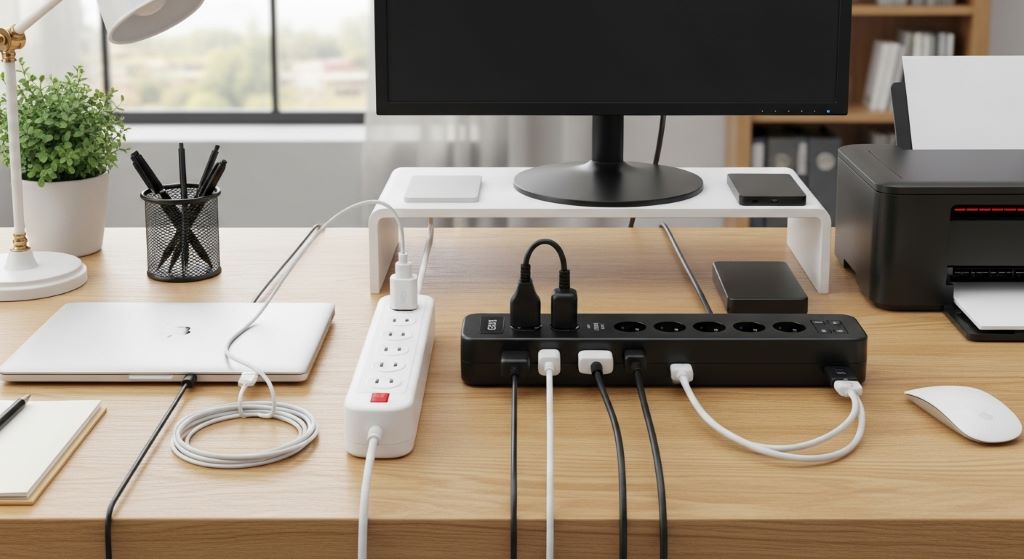
Setting up a home office means plugging in a lot of devices. Laptops, monitors, printers, routers, and chargers all need power. At some point, you will run out of wall outlets. That is when most people reach for either a power strip or a surge protector. However, these two devices are not the same thing. Choosing the wrong one could put your equipment and your safety at risk.
Therefore, this guide will help you understand the key differences between a power strip and a surge protector. Additionally, it will show you which one is right for your home office setup. By the end, you will feel confident making the right choice for your needs.
What Is a Power Strip?
A power strip is a simple device. It takes one wall outlet and turns it into multiple outlets. Most power strips have four to eight sockets. Some also include a switch that lets you turn all the outlets on or off at once.
However, a basic power strip does not offer any real protection. It simply extends the reach of your wall outlet. It does not filter voltage spikes or protect your devices from electrical surges. Think of it as a long extension cord with multiple plugs at the end.
Power strips are commonly used for low-risk devices. These include lamps, fans, and phone chargers. They work fine for appliances that are not sensitive to changes in voltage. However, they are not the right choice for expensive electronics.
What Is a Surge Protector?
A surge protector looks very similar to a power strip. It also provides multiple outlets from a single wall socket. However, it has one important extra feature. It protects your devices from voltage spikes, also known as power surges.
A power surge is a sudden increase in electrical voltage. These surges can happen for many reasons. Lightning strikes, utility company switching, and large appliances turning on and off can all cause surges. Even small, repeated surges can damage sensitive electronics over time.
Surge protectors contain a component called a Metal Oxide Varistor, or MOV. This component absorbs excess voltage and redirects it safely away from your devices. Therefore, a surge protector acts as a buffer between your electronics and the electrical grid.
Additionally, surge protectors come with a joule rating. This number tells you how much energy the device can absorb before it stops working. A higher joule rating means better and longer-lasting protection.
Key Differences Between a Power Strip and a Surge Protector
Understanding the differences between these two devices will help you make the right decision. On the surface, they look almost identical. However, the differences inside are significant.
Protection Level
A power strip offers zero surge protection. It is purely a mechanical device that adds extra outlets. A surge protector, on the other hand, actively shields your devices from voltage spikes. This is the most important difference between the two.
Internal Components
Power strips contain no protective components. Surge protectors contain MOVs, and sometimes additional filtering components. These components work quietly in the background. You may never notice them, but they are working every time a surge occurs.
Cost
Power strips are usually cheaper than surge protectors. A basic power strip may cost just a few dollars. A quality surge protector typically costs more. However, the extra cost is worth it when you consider the price of replacing a damaged laptop or monitor.
Indicator Lights
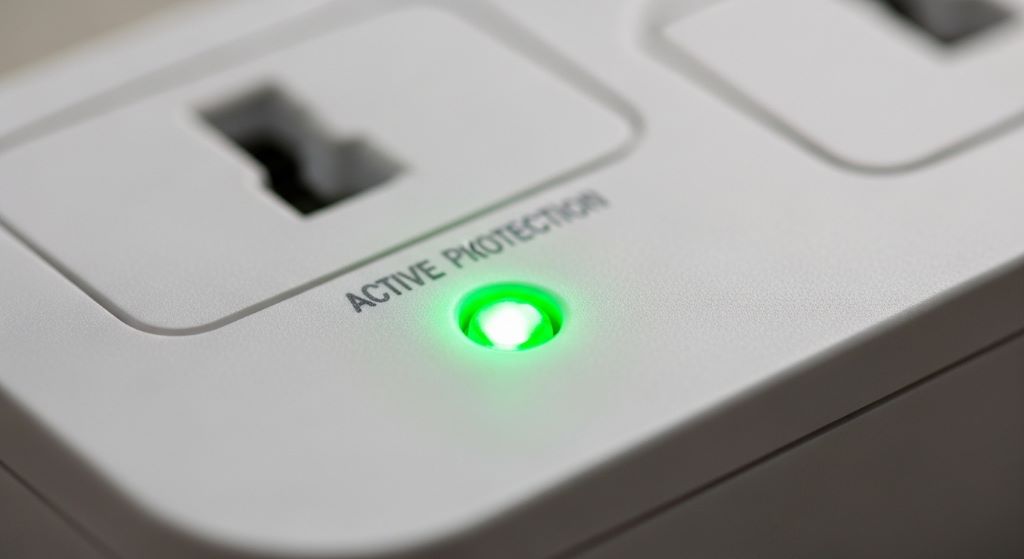
Many surge protectors include an indicator light that tells you whether the surge protection is still active. Over time, the MOV inside wears out. When it does, the light turns off or changes color. This tells you it is time to replace the device. Power strips do not have this feature because they have nothing to indicate.
Why Home Offices Need More Than a Basic Power Strip
Home offices are full of expensive and sensitive electronic equipment. A typical home office setup might include a computer or laptop, a monitor or two, a printer, a router, external hard drives, and various charging cables. Each of these devices is vulnerable to electrical damage.
Furthermore, home offices are often set up quickly without much thought about electrical safety. Many people simply grab the nearest power strip from a hardware store without checking whether it offers surge protection. This is a common and costly mistake.
Additionally, power surges happen more often than most people realize. Many small surges go completely unnoticed. However, over weeks and months, these small events can degrade the internal components of your electronics. This shortens their lifespan significantly.
Therefore, a surge protector is a simple and affordable way to protect your investment in home office equipment. It is one of the easiest safety upgrades you can make.
How to Choose the Right Surge Protector for Your Home Office
Not all surge protectors are created equal. Some offer basic protection, while others are designed for heavy-duty use. Here is what to look for when choosing a surge protector for your home office.
Check the Joule Rating
The joule rating tells you how much energy the surge protector can absorb over its lifetime. For a home office, look for a surge protector with at least 1,000 joules. However, if you have multiple expensive devices, aim for 2,000 joules or more. A higher rating means the device will last longer and provide better protection.
Look for UL Certification
Always buy a surge protector that is certified by Underwriters Laboratories, or UL. This certification means the device has been independently tested and meets safety standards. Specifically, look for the UL 1449 standard on the packaging. This is the current standard for transient voltage surge suppressors.
Count Your Outlets and Spacing
Think about how many devices you need to plug in. Choose a surge protector with enough outlets to cover all your equipment. Additionally, consider the spacing between outlets. Some power adapters and chargers are wide and can block neighboring outlets. Look for a surge protector with spaced-out or rotating outlets to avoid this problem.
Consider Response Time
Response time refers to how quickly the surge protector reacts to a voltage spike. It is measured in nanoseconds. A lower response time means faster protection. Look for a surge protector with a response time of less than one nanosecond. Most quality surge protectors meet this standard.
Look for Additional Features
Many modern surge protectors come with useful extras. These can make your home office setup more convenient and safe.
- USB charging ports for phones and tablets
- Individual outlet switches to cut power to specific devices
- Flat plug designs that work well behind furniture
- Cord management features to keep cables tidy
- Warranty coverage for connected equipment
When a Power Strip Is Enough
There are situations where a basic power strip is perfectly acceptable. Not every device in your home needs surge protection. Understanding when a power strip is enough can help you save money while still staying safe.
Power strips work well for low-power, non-sensitive devices. For example, a desk lamp, a small fan, or a phone charger does not need surge protection. These items are inexpensive and easy to replace. Additionally, they are not affected by small voltage changes.
However, even in these cases, make sure you buy a power strip from a reputable brand. Cheap, poorly made power strips can be a fire hazard. Look for a power strip that has a built-in circuit breaker. This feature shuts off power automatically if the strip is overloaded.
Additionally, never daisy-chain power strips. This means plugging one power strip into another. Doing so can overload the circuit and create a serious fire risk. Always plug your power strip or surge protector directly into a wall outlet.
Common Mistakes to Avoid When Using Power Strips and Surge Protectors
Even with the right equipment, there are some common mistakes that can reduce safety and performance. Being aware of these mistakes will help you get the most out of your setup.
- Do not plug high-wattage appliances like space heaters or microwaves into a power strip or surge protector. These devices draw too much current and can cause overheating.
- Do not cover your power strip or surge protector with rugs or furniture. Blocking airflow can cause it to overheat.
- Do not ignore the indicator light on your surge protector. If it shows that protection has stopped, replace the device immediately.
- Do not assume a surge protector lasts forever. Replace it every three to five years, or after a major electrical event like a nearby lightning strike.
- Do not use a surge protector in a wet or damp area. Water and electricity are a dangerous combination.
Understanding Joule Ratings: A Simple Guide
The joule rating on a surge protector is one of the most important numbers to understand. However, it is also one of the most misunderstood. Here is a simple breakdown.
Think of the joule rating as a bucket. The bucket can only hold so much water before it overflows. Similarly, a surge protector can only absorb so much energy before it stops working. Once the joule capacity is used up, the device no longer protects your equipment.
For basic home office use, 1,000 to 2,000 joules is a good starting point. For a more demanding setup with multiple monitors, a desktop computer, and a NAS drive, aim for 2,500 joules or more. Additionally, remember that joule ratings are consumed gradually. A single lightning strike can use up most of the rating at once. Smaller surges use it up slowly over time.
Therefore, it is a good idea to replace your surge protector periodically, even if the indicator light still shows it is active. Over time, the protection level decreases even when the light stays on.
Power Strip vs Surge Protector: A Quick Comparison
Here is a simple side-by-side summary to help you decide which device is right for your situation.
- Power strip: Adds extra outlets, no surge protection, low cost, best for lamps and fans
- Surge protector: Adds extra outlets, protects against voltage spikes, moderate cost, best for computers and electronics
- Power strip: No indicator light, no joule rating, no MOV components
- Surge protector: Has indicator light, joule rating, MOV components, and UL certification
For a home office where you work with valuable electronics, the choice is clear. A surge protector is always the better option. The small price difference is nothing compared to the cost of replacing damaged equipment.
Conclusion
Choosing between a power strip and a surge protector is a simple but important decision for any home office. A power strip only adds more outlets. It does not protect your devices from electrical damage. A surge protector, however, goes much further. It shields your electronics from voltage spikes and helps extend the life of your equipment.
When setting up your home office, always choose a surge protector over a basic power strip for your main electronics. Look for a high joule rating, UL 1449 certification, and useful features like USB ports and indicator lights. Additionally, replace your surge protector every few years to ensure it is still providing effective protection.
Your home office equipment represents a real investment. Therefore, protecting it with the right device is one of the smartest and most affordable things you can do. A quality surge protector costs very little but can save you hundreds or even thousands of dollars in equipment repairs or replacements.
In short, use a power strip for simple, low-risk devices. Use a surge protector for everything else. Making this small change today can protect your home office for years to come.
Frequently Asked Questions
1. Can I use a surge protector as a power strip?
Yes, you can. A surge protector provides all the same functions as a power strip. It gives you extra outlets and often includes a power switch. Additionally, it offers the bonus of surge protection. Therefore, using a surge protector instead of a plain power strip is always the safer choice.
2. How do I know if my surge protector is still working?
Most surge protectors have an indicator light that shows whether the protection is still active. If the light turns off or changes color, the internal MOV has worn out. At that point, the device only works as a basic power strip. Replace it as soon as possible to restore surge protection.
3. Does a surge protector protect against lightning?
A surge protector can help reduce damage from indirect lightning strikes. However, it cannot fully protect against a direct lightning strike. For the best protection during a storm, unplug your sensitive electronics entirely. Additionally, consider installing whole-home surge protection at your electrical panel for an extra layer of safety.
4. How many joules do I need for a home office?
For a standard home office setup with a computer, monitor, and router, aim for at least 1,000 to 1,500 joules. If you have more devices or expensive equipment like a gaming PC or professional workstation, choose a surge protector with 2,500 joules or more. A higher joule rating always means better and longer-lasting protection.
5. Is it safe to plug a surge protector into an extension cord?
This is generally not recommended. Plugging a surge protector into an extension cord can reduce its effectiveness and create a fire hazard. Always plug your surge protector directly into a properly grounded wall outlet. Additionally, make sure the wall outlet is a three-prong grounded outlet for the surge protector to work correctly.
Related Topics:
Affordable Power Strips with USB Ports for Workstations
How to Choose the Safest Power Strip for Your Office