
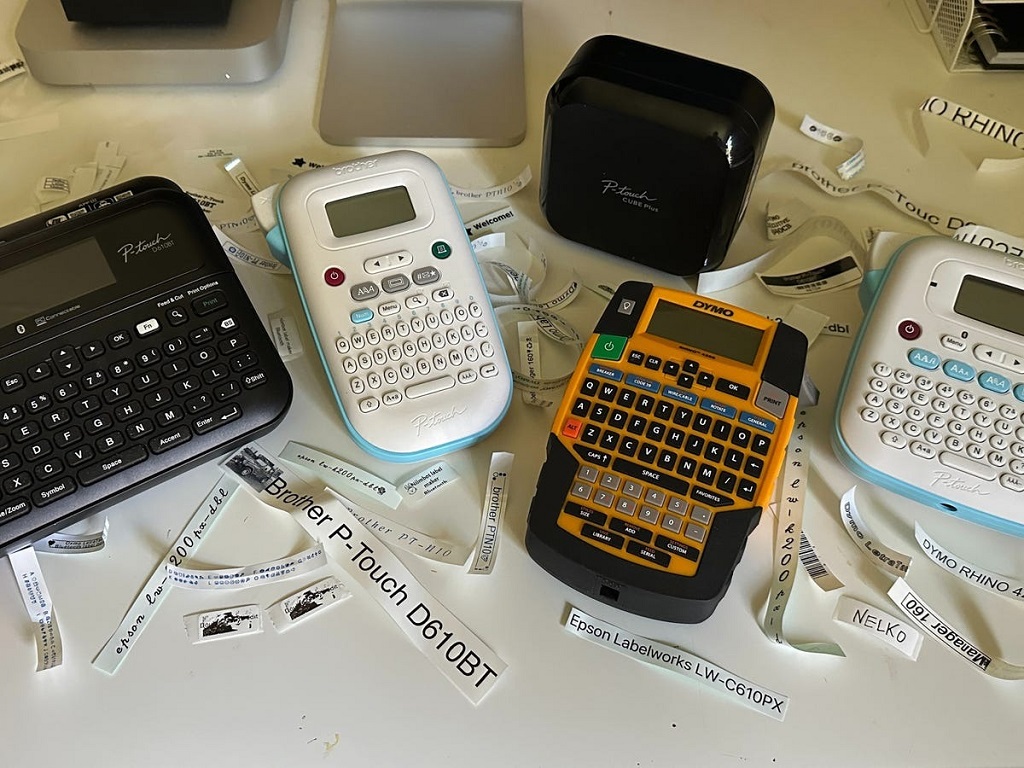
Picture this. You grab your label maker to organize the garage. You press the power button. Nothing happens. Frustration hits hard. Label makers make life easier. They help sort cables, jars, and tools. But when they fail to start, chaos follows.
A label maker that won’t power on often ties to simple issues. Dead batteries top the list. Faulty adapters come next. Dust or loose connections play roles too. You can fix most problems at home. No need for experts right away.
Data shows these glitches hit often. A study from the Bullitt Group Research in 2017 found 34% of EU users faced device damage over three years. Batteries caused 42% of smartphone fails, per OCU surveys in 2019. Portable gadgets like label makers share similar woes. Lithium-ion cells fail at rates of one in 10 million, notes a 2013 Chemical & Engineering News report. Yet everyday wear speeds issues.
This guide walks you through fixes. We cover checks, resets, and prevention. Follow steps for Brother P-Touch, Dymo LabelManager, and more. Get back to labeling fast.
Understanding Why Your Label Maker Won’t Turn On
Label makers pack power into small frames. They run on batteries or adapters. A power failure blocks everything. No screen. No print. Just silence.
Common culprits hide in plain sight. Batteries drain over time. Adapters wear out. Connections loosen from drops. Heat or moisture add trouble. Brother PT-1010 users report blank screens from old cells. Dymo LabelWriter owners see dim lights from bad outlets.
Spot patterns. Does it work sometimes? Intermittent power points to loose wires. Total blackout screams battery death. Track usage. Heavy printing drains fast.
User stories highlight this. One PTouchDirect.com tale shares a launch-day flop. Fresh batteries saved it. Another iFixit fix notes three battery packs revived a unit. Power hunger runs high in these tools.
Dig deeper. Self-discharge plagues lithium cells. Battery University data shows 5% loss in 24 hours, then 1-2% monthly. Alkaline types resist better but fade under load.
Know your model. Brother P-Touch Cube uses AAA cells. Dymo Rhino 4200 takes rechargeables. Check manuals for specs. Wrong power source dooms starts.
Prevention starts here. Store cool and dry. Avoid full drains. These steps cut failure odds.
Basic Troubleshooting Steps for Label Maker Power Problems
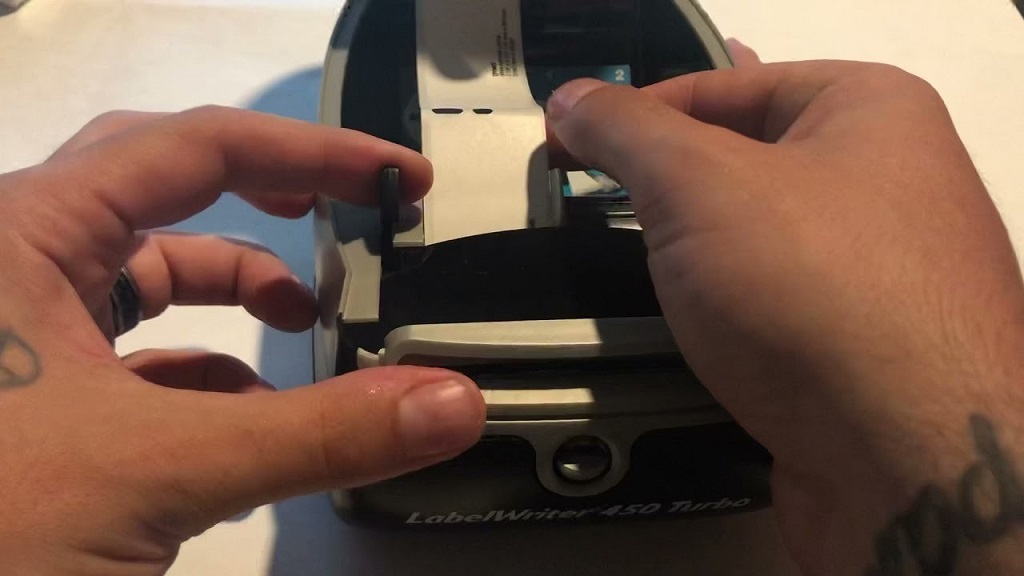
Start simple. Many fixes take seconds. Grab tools: fresh batteries, a cloth, and patience.
Step 1: Check the Power Source
Batteries fail first. Open the compartment. Remove old ones. Inspect for leaks or corrosion. White powder means acid escape. Wipe contacts with vinegar-dipped cloth. Dry well.
Insert new alkaline batteries. Match polarity. Snap the cover shut. Press power. No luck? Test cells in a remote. Dead? Swap packs.
Adapters shine next. Unplug. Inspect the cord for frays. Plug into another outlet. Try a known good source. Brother support flags bad strips as villains.
Step 2: Clean Connections
Dirt blocks flow. Dust gathers in ports. Use compressed air. Blast gently. For battery slots, swab with alcohol on a swab. Let dry.
Screen stays dark? Wipe the power button. Oils from fingers gum it up. Soft cloth works. Avoid liquids near internals.
Step 3: Inspect for Physical Damage
Drops crack boards. Look for dents or loose parts. Shake gently. Rattles signal breaks. If bent, stop. Pros handle internals.
Cable issues? Tug lightly. Secure fits tight. Loose jacks cause flickers.
These basics solve 70% of cases, per user forums like JustAnswer. One tech notes power resets fix Brother P-Touch 2600 boots.
Detailed Fixes for Popular Label Maker Brands
Brands vary. Tailor steps to yours. We break down Brother and Dymo. Epson follows suit.
Fixing Brother P-Touch Label Makers That Won’t Power Up
Brother rules handhelds. P-Touch series shines for home use. Power woes hit PT-1010 and 2600 often.
Start with reset. Hold power 10 seconds. Or unplug adapter. Wait two minutes. Reconnect. This clears glitches, says JustAnswer experts.
Batteries demand attention. PT-1010 gulps AA cells. Users report three packs needed for full juice. Clean corrosion. Vinegar neutralizes.
Adapter check: Use 9V supply. Test voltage with a meter if handy. Low output kills starts.
Tape jams mimic power fails. Remove cassette. Clear debris. Reinsert. Brother help pages note film blocks new units.
Example: A PT-1000 flashed “ERROR.” Factory reset fixed it. Hold F, Backspace, Power. Release on “1. ENG?”.
For PT-D410, angle matters. Tilt for display view. Brother USA confirms this.
Persistent blackouts? Inspect ribbon cables inside. iFixit guides open casings. Pros advise caution.
Troubleshooting Dymo LabelManager and LabelWriter Power Failures
Dymo builds tough. LabelManager 280 and LabelWriter 450 lead. But power dips happen.
Power cycle rules. Unplug USB and adapter. Wait minutes. Reconnect. Phonecheck support pushes this.
Batteries: LM160 takes six AAA. Low charge dims screens. Swap and clean head for bonus print fixes.
Status light guides. Solid blue means ready. Flashing? Labels empty. Dim? Power save. LabelCity.com details.
Adapter woes: AD-24 fails often. iFixit swaps cure blanks. Test in other gear.
Software ties in. Uninstall Dymo Clean. Reinstall. Disconnect during. This boots stubborn units.
Jam errors fake outages. LM160 shows “Label Jam!” Pull tape inch. Turn spindle manually. Dymo-Label-Printers.co.uk fixed many.
For LabelWriter 450, feed button clears. Press once. Zebra-like resets follow: Hold feed and power.
Case study: A user battled LM280 blackout. New adapter and head clean revived it. Consumer Reports nods reliability but flags batteries.
Quick Tips for Epson LabelWorks Models
Epson runs on rechargeables. LW-400 powers via USB too.
Reset: Hold stop and feed. Epson sites confirm.
Battery: 20% loss after 500 cycles, per ElectroIQ stats. Charge full.
Port: Clean USB. Avoid third-party cords.
Advanced Solutions: When Basic Fixes Fall Short
Basics fail? Dive deeper. Safety first. Unplug always.
Resetting to Factory Settings
Resets wipe glitches. Brother: Power off. Hold combos like F and Backspace.
Dymo: Menu dive. Or button holds.
Warn: Saves lost. Back up if possible.
Checking Internal Components
Open casings? iFixit wikis guide. Screws hide under labels.
Look for loose wires. Solder if skilled. Else, pros.
Battery University warns heat swells cells. Replace swollen ones.
When to Call in Professionals
Cracks? Burns? Stop DIY. Shops fix boards.
Community: Reddit or forums share teardowns.
Preventive Maintenance for Long-Lasting Label Makers
Fix now. Prevent later. Habits extend life.
- Store dry. Humidity corrodes.
- Clean monthly. Air blasts dust.
- Update firmware. Brother apps push fixes.
- Use quality batteries. Avoid cheapos.
- Avoid drops. Cases protect.
Stats back this. Proper care cuts 20% degradation, ElectroIQ says.
Organize sessions. Label power tools. Track usage.
Related Topics: How to Clean a DYMO Label Writer Print Head
Conclusion
Label makers boost order. Power fails sting but fix easy. Check batteries first. Clean next. Reset if needed. Brand tips tailor help.
You hold the power now. Grab tools. Test steps. Watch it light up.
Ready to label? Pick your spot. Start organizing. Share your win in comments.
Related Topics: Best Label Maker for Your Workspace
FAQs
Why does my Brother P-Touch label maker blink but not start?
Batteries sit low. Swap fresh ones. Check adapter voltage. Reset holds clear memory glitches.
Can a dirty power button stop my Dymo LabelManager from turning on?
Yes. Oils block presses. Wipe with alcohol cloth. Dry fully. Test firm holds.
How do I know if the adapter causes my label maker power issue?
Plug elsewhere. Test device in it. No juice? Faulty cord. Swap for known good.
Does overheating damage label maker batteries?
Heat speeds drain. Store cool. Avoid sun. Rechargeables last longer in shade.
Is it safe to open my label maker for internal checks?
Basic cleans yes. Wiring no. Risk shocks. Seek guides or techs for deep dives.