

In a world where remote work and hybrid teams are the new norm, the traditional office whiteboard, with its squeaky markers and limited space, is rapidly becoming a relic of the past. Imagine a workspace without boundaries, a canvas that expands with your ideas, and a collaboration tool that connects your team, no matter where they are. This is the reality of the dry erase board online, a transformative technology that is reshaping the way we work, learn, and create.
The shift to digital collaboration is not just a trend; it is a fundamental change in our professional landscape. According to a 2023 report by Statista, the global virtual collaboration software market is projected to reach over 50 billion dollars by 2027. This explosive growth underscores the increasing demand for tools that facilitate seamless remote interaction. Furthermore, a study by Stanford University found that remote work can increase productivity by as much as 13%. These figures highlight the critical need for effective digital tools to support this evolving work environment. An online dry erase board, or Web whiteboard, is at the forefront of this revolution, offering a dynamic and versatile platform for teams to connect and innovate.
The Dawn of a New Era: What is an Online Dry Erase Board?
So, what exactly is a dry erase board online? In simple terms, it is a digital version of a traditional whiteboard, accessible through a web browser or a dedicated application. But this simple definition barely scratches the surface of its capabilities. A web whiteboard is an interactive, collaborative, and infinitely expandable canvas that empowers real-time teamwork. It is a shared space where teams can brainstorm, plan, design, and manage projects together, regardless of their physical location.
The journey from the physical whiteboard to its digital counterpart is a story of technological evolution. The traditional whiteboard, a staple in offices and classrooms for decades, has always been a powerful tool for visual thinking. However, its limitations are glaring in the modern workplace. Physical whiteboards are geographically restrictive, have limited space, and the content is ephemeral, often lost forever once erased. The online dry erase board shatters these limitations, offering a persistent, accessible, and feature-rich environment for collaboration.
Reasons to Ditch Your Physical Whiteboard for a Digital Alternative
The move to a dry erase board online is not just about convenience; it is about unlocking new levels of productivity and creativity. Here are ten compelling reasons why a digital whiteboard is superior to its physical predecessor:
- Infinite Space for Boundless Ideas: Unlike a physical whiteboard, a web whiteboard offers an infinite space for your thoughts to roam free.
- Real-Time Collaboration, Anywhere, Anytime: The most significant advantage of an online dry erase board is its ability to facilitate real-time collaboration. Team members from across the globe can join a shared board and contribute simultaneously.
- A Rich Toolbox for Dynamic Content: A web whiteboard is more than just a blank space. It comes equipped with a vast array of tools, including digital sticky notes, a versatile Pen tool, and intelligent connection lines.
- Seamless Integration with Your Existing Workflow: Modern online whiteboards are designed to integrate with the tools you already use. With a single click, you can connect your board to your Google Drive, MS Office suite, project management software, and communication platforms.
- Effortless Saving and Sharing: Say goodbye to taking blurry photos of a physical whiteboard. With a dry erase board online, your work is automatically saved to the cloud.
- Enhanced Accessibility and Inclusivity: An online whiteboard is an incredibly inclusive tool. It allows team members with different communication styles to contribute in a way that suits them best.
- Eco-Friendly and Cost-Effective: By going digital, you eliminate the need for physical markers, erasers, and cleaning supplies. This not only reduces waste but also saves you money in the long run.
Must-Have Features: What to Look for in a Top-Tier Web Whiteboard
When choosing a dry erase board online, it is essential to look for a platform that offers a robust set of features. Here are some of the must-have functionalities that will elevate your collaboration experience:
- Infinite Canvas: The ability to pan, zoom, and expand your workspace without limits.
- Real-Time Collaboration: See your teammates’ cursors and contributions in real-time.
- Rich Template Library: A collection of pre-built templates for various use cases, such as brainstorming, project planning, and retrospectives.
- Digital Sticky Notes: The digital equivalent of the classic Post-it note, perfect for capturing quick ideas.
- Versatile Pen Tool: A customizable pen tool with different colors, thicknesses, and styles for writing and drawing.
- Smart Connection Lines: Lines and arrows that automatically connect and adjust as you move objects on the board.
- Multimedia Integration: The ability to embed images, videos, documents, and web links.
- Cloud Storage and Sharing: Automatic saving to the cloud and easy sharing options.
- Third-Party Integrations: Seamless integration with your favorite productivity and communication tools.
- Commenting and Annotation: The ability to leave comments and feedback directly on the board.
- Presentation Mode: A feature that allows you to present your board as a slideshow.
- Voting and Polling: Tools for quick decision-making and feedback gathering.
- Version History: The ability to track changes and revert to previous versions of your board.
- Mobile and Tablet Apps: Dedicated apps for a seamless experience on any device.
The Titans of the Digital Canvas: A Review of the Best Online Whiteboard Platforms
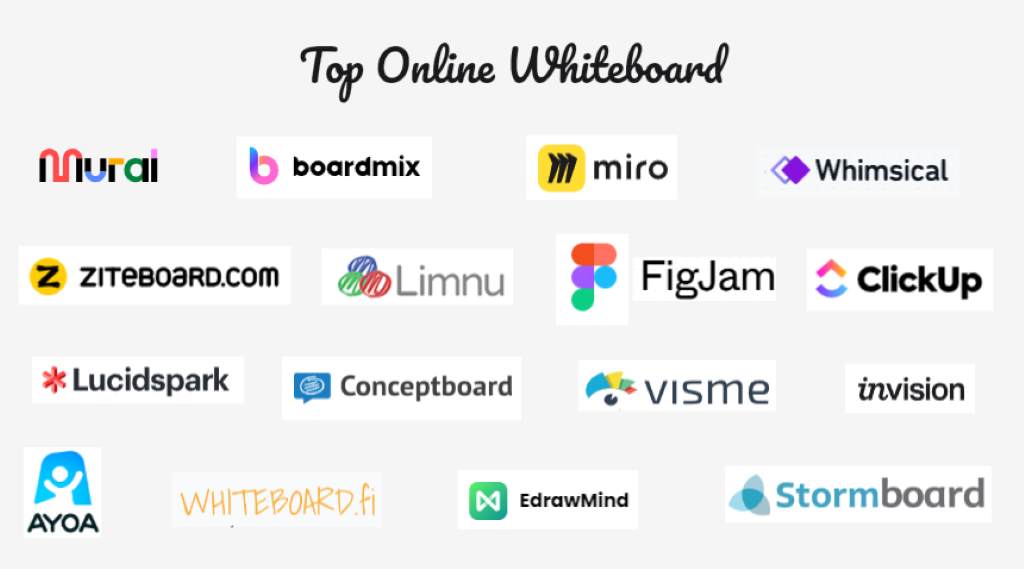
The market for online whiteboards is booming, with several platforms vying for the top spot. Here’s a look at some of the leading contenders:
Miro

Miro is a powerhouse in the online whiteboard space, offering a comprehensive suite of tools for team collaboration. Its intuitive interface and vast template library make it a popular choice for businesses of all sizes. The Miro Plan options are designed to cater to different needs, from individual users to large enterprises.
- User Interface and Ease of Use: Miro’s user interface is clean, modern, and easy to navigate. The drag-and-drop functionality makes it simple to add and arrange content on the board.
- Key Features and Functionality: Miro excels in its feature set, offering everything from basic whiteboarding tools to advanced features like mind mapping, user story mapping, and Kanban boards.
- Collaboration Capabilities: Miro’s real-time collaboration is seamless, with features like video chat, commenting, and voting to keep your team engaged.
- Integration Options: Miro integrates with a wide range of tools, including Jira, Asana, Slack, and Microsoft Teams.
Canva Whiteboards
Known primarily as a graphic design tool, Canva Whiteboards has emerged as a strong contender in the online collaboration space. Leveraging its design expertise, Canva offers a visually appealing and user-friendly whiteboard experience.
- User Interface and Ease of Use: Canva’s interface is famously intuitive, making it easy for anyone to create beautiful and engaging whiteboards.
- Key Features and Functionality: Canva Whiteboards includes all the essential whiteboarding features, plus access to Canva’s vast library of design elements, images, and fonts.
- Collaboration Capabilities: Real-time collaboration is a key feature, allowing teams to work together on whiteboards, presentations, and other visual content.
- Integration Options: Canva integrates with various social media and productivity platforms, making it easy to share your creations.
Mural
Mural is another top-tier online whiteboard platform, designed specifically for visual collaboration. It is a favorite among agile teams and design thinkers for its focus on facilitating creative and productive workshops.
- User Interface and Ease of Use: Mural’s interface is designed to be a digital thinking space, with a focus on ease of use and a playful aesthetic.
- Key Features and Functionality: Mural offers a rich set of tools for brainstorming, planning, and design thinking, including a vast template library and powerful facilitation features.
- Collaboration Capabilities: Mural’s collaboration features are top-notch, with timers, voting, and private mode to help you run effective workshops.
- Integration Options: Mural integrates with popular tools like Jira, Slack, and Microsoft Teams.
Unleash Your Creativity: Innovative Ways to Use Your Online Whiteboard
An online dry erase board is a versatile tool that can be used for a wide range of activities. Here are some innovative ways to leverage its power:
- Dynamic Brainstorming Sessions: Go beyond simple idea generation. Use your web whiteboard to create affinity diagrams, mind maps, and concept maps to organize and connect your thoughts.
- Agile Ceremonies and Retrospectives: Facilitate your daily stand-ups, sprint planning sessions, and retrospectives on a shared board. This keeps everyone aligned and engaged, even in a remote setting.
- Interactive Workshops and Training: Create engaging and interactive training materials on your online whiteboard. Use multimedia elements, breakout rooms, and interactive exercises to keep your participants captivated.
- Collaborative Design and Prototyping: Use your web whiteboard as a virtual design studio. Sketch out user flows, create wireframes, and gather feedback from your team in real-time.
- Strategic Planning and Roadmapping: Visualize your company’s strategy and roadmap on an infinite canvas. This provides a clear and comprehensive overview of your goals and initiatives. A well-organized strategy session on a web whiteboard can be a game-changer for your business.
- Customer Journey Mapping: Map out the entire customer journey on your online whiteboard. This helps you to identify pain points, uncover opportunities, and create a better customer experience.
A Seamless Workflow: Integrating Your Online Whiteboard with Other Tools
The true power of a dry erase board online is unleashed when it is integrated into your existing workflow. By connecting your whiteboard to your other productivity tools, you can create a seamless and efficient process for your team.
- Project Management Integration: Connect your whiteboard to tools like Jira, Asana, or Trello to turn your ideas into actionable tasks. You can convert sticky notes into project tickets, sync your boards with your project timelines, and keep your entire workflow in one place.
- Communication Platform Integration: Integrate your whiteboard with Slack or Microsoft Teams to receive notifications, share boards with your team, and collaborate without leaving your communication hub.
- Cloud Storage Integration: With Google Drive and Dropbox integration, you can easily access your files and documents directly from your whiteboard. This eliminates the need to switch between different applications and keeps all your relevant information in one place.
The AI Revolution: How Artificial Intelligence is Transforming Online Whiteboarding
Artificial intelligence is making its way into every aspect of our lives, and online whiteboarding is no exception. AI tools are being integrated into these platforms to enhance creativity, automate tedious tasks, and provide intelligent insights.
- AI-Powered Idea Generation: Some online whiteboards use AI to suggest new ideas, expand on existing concepts, and help you overcome creative blocks.
- Automated Diagramming and Flowcharts: AI can automatically generate diagrams, flowcharts, and mind maps from your text input, saving you time and effort.
- Smart Clustering and Organization: AI algorithms can analyze your sticky notes and automatically group them into relevant clusters, helping you to make sense of your brainstorming sessions.
- Predictive Insights and Analytics: In the future, AI may be able to analyze your whiteboards to provide predictive insights, identify potential roadblocks, and suggest ways to improve your workflow.
How a Web Whiteboard Transformed My Productivity
As a content creator and project manager, I am always looking for tools that can help me to stay organized and collaborate effectively with my team. For years, I relied on a physical whiteboard in my home office. While it was useful for jotting down quick ideas, it was far from ideal. My notes were a mess, I was constantly running out of space, and sharing my ideas with my remote team was a cumbersome process.
Then, I discovered the world of online whiteboards. It was a revelation. I started using a web whiteboard for all my content planning and brainstorming sessions. The infinite space was a dream come true, allowing me to map out entire content calendars without feeling constrained. The digital sticky notes were a game-changer, allowing me to easily move ideas around and organize them into logical groups.
But the real magic happened when I started collaborating with my team on a share board. We were able to brainstorm in real-time, even though we were in different time zones. We used the Pen tool to sketch out ideas, the connection lines to map out workflows, and the commenting feature to provide feedback. The online whiteboard became our virtual meeting room, a shared space where we could connect, create, and innovate. It has truly transformed the way I work, making me more productive, organized, and collaborative than ever before.
Explore Now:
- Best Standing Desks of 2025: Adjustable & Ergonomic Options Reviewed
- Best Gaming Desks: Stylish and Functional Picks for Gamers
- Best Ergonomic Office Chairs for Comfort and Posture Support
The Human Touch: Why a Great User Interface is Non-Negotiable
In the world of software, a great user interface is not just a nice-to-have; it is an absolute necessity. This is especially true for online whiteboards, where the goal is to create a seamless and intuitive experience that fosters creativity and collaboration. A clunky, confusing interface can be a major barrier to adoption, frustrating users and hindering their productivity.
A well-designed online whiteboard should feel like an extension of your own mind. The tools should be easy to find and use, the navigation should be smooth and responsive, and the overall experience should be enjoyable. When evaluating different platforms, pay close attention to the user interface. Is it clean and uncluttered? Is it easy to find the features you need? Does it feel intuitive and natural to use? A great user interface is a sign of a well-thought-out product that puts the user first.
Your Voice Matters: The Importance of Feedback in Improving Online Whiteboards
The best online whiteboard platforms are the ones that are constantly evolving and improving. And the most valuable source of inspiration for these improvements is you, the user. Your feedback is crucial in helping developers to understand what is working, what is not, and what new features you would like to see.
Most online whiteboard platforms have a dedicated feedback system where you can share your thoughts and suggestions. This may take the form of a feedback form on their web page, a community forum, or a direct line to their customer service team. When you provide feedback, be as specific and detailed as possible. Explain the problem you are experiencing, suggest a possible solution, and share your overall experience with the platform.
Remember, every time you click the submit button on a feedback form, you are playing a vital role in shaping the future of online collaboration. So, do not be shy. Share your feedback, and Help us improve the tools that we all rely on.
The Future is Collaborative, and It’s on a Digital Canvas
The dry erase board online is more than just a digital tool; it is a catalyst for a new era of collaboration. It breaks down geographical barriers, empowers teams to work together in real-time, and provides a limitless canvas for creativity and innovation. Whether you are a small startup or a global enterprise, a web whiteboard is an essential tool for success in the modern workplace.
The journey from the humble physical whiteboard to the powerful online platforms of today is a testament to the power of technology to connect us and amplify our collective intelligence. As we continue to embrace remote and hybrid work models, the importance of these digital collaboration tools will only continue to grow.
So, if you are still clinging to your old-school whiteboard, now is the time to make the switch. Explore the platforms we have discussed, find the one that best suits your needs, and unlock the full potential of your team. The future of work is here, and it is on a dry erase board online.
Ready to revolutionize your collaboration? Try out one of the online whiteboards we’ve discussed today and unlock your team’s full potential.
FAQs
What is the best online dry erase board?
The “best” online dry erase board depends on your specific needs and preferences. Miro is a popular choice for its comprehensive feature set, while Canva Whiteboards is great for its ease of use and design capabilities. We recommend trying out a few different platforms to see which one works best for you.
Can I use a stylus pen with an online whiteboard?
Yes, many online whiteboards are optimized for use with a stylus pen, Apple Pencil, or Surface Pen. This allows for a more natural and intuitive writing and drawing experience.
Are online whiteboards secure?
Reputable online whiteboard platforms take security very seriously. They use encryption and other security measures to protect your data. However, it is always a good idea to check the security policies of the platform you are using.
How do I share my online whiteboard?
Most online whiteboards allow you to share your board with a simple link. You can also export your board as a PDF or image to share it with others.
Can I use an online whiteboard for free?
Many online whiteboard platforms offer a free plan with limited features. This is a great way to try out the platform before committing to a paid subscription.