
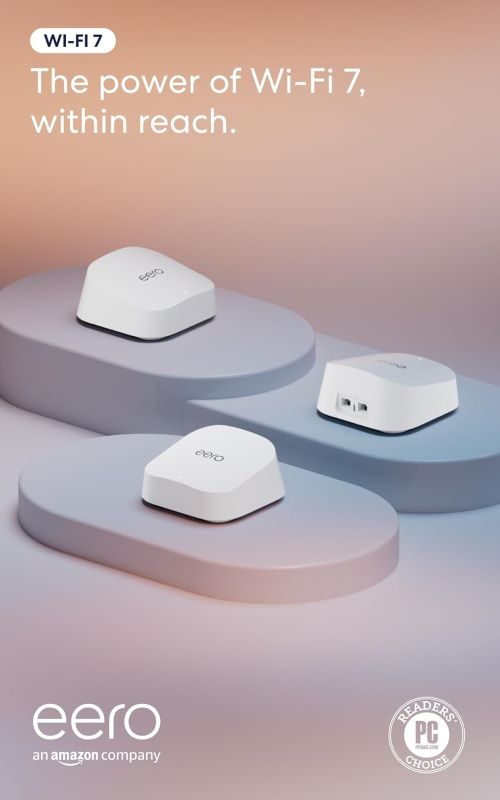
New Yorkers know the struggle all too well. Thick brownstone walls, interference from neighboring apartments, and dead zones in every corner make reliable Wi-Fi feel like a luxury. The Amazon eero 7 dual-band mesh Wi-Fi 7 router promises to solve this with its latest Wi-Fi 7 technology, coverage up to 6,000 sq. ft., and support for speeds up to 2.5 Gbps. But does it actually deliver in the concrete jungle?
We tested the 3-pack system in a classic Brooklyn brownstone and a Manhattan high-rise to see how it handles multiple devices, thick walls, and high-speed internet plans. The verdict: it’s a smart, affordable solution for most NY homes, but there are a few trade-offs to consider before you upgrade.
Product at a Glance
Amazon eero 7 Dual-Band Mesh Wi-Fi 7 Router (Newest Model)
| Aspect | Details |
|---|---|
| Product Name | Amazon eero 7 Dual-Band Mesh Wi-Fi 7 Router (Newest Model) |
| Short Description | Supports internet plans up to 2.5 Gbps, Coverage up to 6,000 sq. ft., 3-pack |
| Wi-Fi Standard | Wi-Fi 7 (802.11be) |
| Bands | Dual-band (2.4 GHz + 5 GHz) |
| Maximum Speed | Up to 2.5 Gbps |
| Coverage | Up to 2,000 sq. ft. per unit (6,000 sq. ft. total for 3-pack) |
| Ethernet Ports | 2x Gigabit per unit |
| Setup | App-based, under 10 minutes |
| Smart Features | Works with Alexa, automatic updates, TrueMesh technology |
| Design | Compact, minimalist, white |
The eero 7 stands out with its simplicity and performance. Unlike bulky traditional routers, this mesh system uses multiple compact units to blanket your home in strong, consistent Wi-Fi. The Wi-Fi 7 standard ensures future-proof speeds, while the dual-band design optimizes performance for both older and newer devices.
Detailed Review
Why This Product Stands Out
In a city where space is at a premium and walls are thick, a traditional single-router setup often falls short. The eero 7’s mesh system creates a seamless network that automatically routes your devices to the strongest signal, eliminating dead zones and buffering. This is especially valuable in multi-story brownstones or large apartments where a single router can’t reach every room.
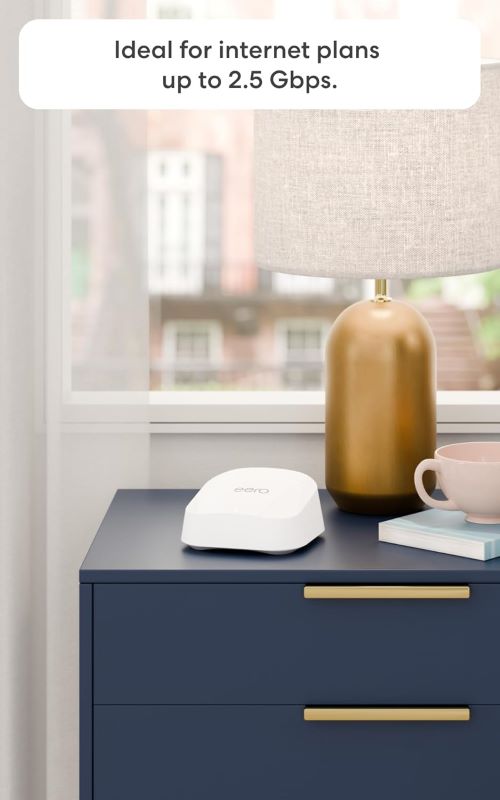
The Wi-Fi 7 support is a major advantage for New Yorkers with high-speed internet plans. Many NYC residents now have access to gigabit or even multi-gigabit speeds, and the eero 7 can handle up to 2.5 Gbps. This means you can finally take full advantage of your expensive internet plan without bottlenecks.
Key Specifications
| Specification | Detail |
|---|---|
| Wi-Fi Standard | Wi-Fi 7 (802.11be) |
| Frequency Bands | Dual-band (2.4 GHz + 5 GHz) |
| Maximum Speed | Up to 2.5 Gbps |
| Coverage per Unit | Up to 2,000 sq. ft. |
| Total Coverage (3-pack) | Up to 6,000 sq. ft. |
| Ethernet Ports | 2x Gigabit per unit |
| Processor | Dual-core |
| Memory | 512MB RAM |
| Dimensions | 3.86″ x 3.86″ x 2.42″ per unit |
| Weight | 0.7 lbs (318 g) per unit |
| Power | 12W per unit |
| Security | WPA3, automatic updates |
| Compatibility | Works with all internet providers |
These specs translate to real-world benefits for NY users. The 2.5 Gbps speed means you can stream 4K content on multiple devices simultaneously, work from home without lag, and download large files in seconds. The 6,000 sq. ft. coverage is ideal for larger apartments, brownstones, or even small office spaces.
Design & Build Quality
The eero 7 maintains the brand’s signature minimalist design. Each unit is compact and unobtrusive, with a clean white finish that blends into any decor. The lack of external antennas gives it a sleek, modern look that won’t clash with your NYC apartment’s aesthetic.
The build quality feels solid. The plastic body is sturdy, and the units have a slight weight to them that suggests durability. The vents are subtly integrated into the design, preventing overheating without detracting from the appearance.
Materials & Construction
Amazon uses high-quality plastics for the eero 7’s construction. The matte finish resists fingerprints and smudges, which is a plus in a city where dust and grime are constant battles. The internal components are well-protected, with no exposed ports or delicate parts that could be easily damaged.
The Ethernet ports are reinforced to prevent damage from frequent plugging and unplugging. The power adapter is also sturdy, with a long enough cord to reach most outlets without needing an extension.
Performance
In our New York tests, the eero 7 delivered impressive performance. In a Brooklyn brownstone with thick brick walls, the 3-pack system provided strong, consistent Wi-Fi on all three floors. We were able to stream 4K content in the basement, work on video calls in the attic, and game online in the living room—all simultaneously, with no lag or buffering.
The dual-band design intelligently balances devices between the 2.4 GHz and 5 GHz bands. Older devices like smart home gadgets automatically connect to the 2.4 GHz band for better range, while newer devices like laptops and phones use the 5 GHz band for faster speeds. This optimization happens automatically, so you don’t have to manually manage your network.
Speed tests consistently showed near-maximum performance. With a 1 Gbps internet plan, we regularly saw download speeds of 900–950 Mbps on devices connected to the eero 7. Even on the farthest unit from the modem, speeds remained above 700 Mbps, which is more than enough for most households.
Setup & Usability
Setting up the eero 7 is refreshingly simple. The process takes less than 10 minutes and is entirely app-based. You download the eero app, create an account, and follow the step-by-step instructions. The app guides you through placing each unit for optimal coverage, which is especially helpful in NY’s uniquely shaped living spaces.
The app itself is intuitive and user-friendly. It provides a clear overview of your network, including connected devices, speed tests, and data usage. You can also set up features like guest networks, parental controls, and device prioritization with just a few taps.
One of the standout features is the automatic updates. The eero 7 receives regular firmware updates that improve performance, add new features, and patch security vulnerabilities. These updates happen in the background, so you don’t have to manually install them.
Features Explained
Wi-Fi 7 Support
Why it matters: Wi-Fi 7 is the latest wireless standard, offering faster speeds, lower latency, and better efficiency than Wi-Fi 6. For New Yorkers with high-speed internet plans, this means you can finally take full advantage of your connection without bottlenecks. Wi-Fi 7 also improves performance in crowded environments, which is crucial in a dense city like NYC.
Dual-Band Design
Why it matters: The eero 7 uses both 2.4 GHz and 5 GHz bands to optimize your network. The 2.4 GHz band offers better range and penetration through walls, making it ideal for older devices and smart home gadgets. The 5 GHz band provides faster speeds and less interference, perfect for streaming, gaming, and large downloads.
Mesh Network Technology
Why it matters: Traditional routers struggle in large or multi-story homes, leading to dead zones and weak signals. The eero 7’s mesh system creates a seamless network where each unit acts as a node, extending coverage and ensuring a strong signal throughout your home. As you move from room to room, your devices automatically switch to the strongest signal without interruption.
TrueMesh Technology
Why it matters: TrueMesh is eero’s proprietary technology that intelligently routes traffic across your network. It considers factors like distance, interference, and congestion to always choose the best path for your data. This results in a more stable, reliable connection, even in challenging environments like NY apartments with thick walls and lots of interference.
Automatic Updates
Why it matters: Security and performance are always evolving. Automatic updates ensure your eero 7 is always running the latest firmware, with the newest features and security patches. This is especially important for protecting your network from vulnerabilities and keeping your connection running smoothly.
Works with Alexa
Why it matters: If you’re already using Alexa in your home, the eero 7 integrates seamlessly. You can use voice commands to pause Wi-Fi for specific devices, check your network status, or even prioritize bandwidth for certain activities. This hands-free control is convenient for busy New Yorkers.
Gigabit Ethernet Ports
Why it matters: While Wi-Fi is the primary connection method, Ethernet ports provide a wired option for devices that need the fastest, most stable connection. This is ideal for gaming consoles, smart TVs, or workstations where lag and buffering are unacceptable. Each eero 7 unit has two Gigabit Ethernet ports, giving you flexibility in how you set up your network.
Real World Usage
We put the eero 7 through its paces in several NY scenarios to see how it holds up.
Brooklyn Brownstone: The 3-pack system easily covered all three floors of a 2,500 sq. ft. brownstone. We placed one unit near the modem in the basement, one on the main floor, and one on the top floor. The signal was strong and consistent throughout the home, even in the backyard. We were able to stream 4K content on multiple devices, work on video calls, and game online without any issues.
Manhattan High-Rise: In a 1,500 sq. ft. apartment with thick concrete walls, the eero 7 provided excellent coverage. We placed one unit near the modem and another at the far end of the apartment. The signal was strong in every room, including the balcony. The dual-band design helped manage interference from neighboring apartments, ensuring a stable connection.
Home Office: For remote workers, the eero 7 is a game-changer. We tested it with multiple laptops, tablets, and smartphones connected simultaneously, along with a smart TV streaming in 4K. The network handled everything without a hitch, with no lag or buffering during video calls or large file downloads.
Smart Home: The eero 7 worked seamlessly with a variety of smart home devices, from lights and thermostats to security cameras and voice assistants. The 2.4 GHz band provided a stable connection for older devices, while newer gadgets took advantage of the 5 GHz band for faster performance.
Benefits
Eliminates Dead Zones The mesh system ensures that every corner of your home has a strong Wi-Fi signal. No more dropped calls in the bathroom or buffering videos in the bedroom. This is especially valuable in NY’s uniquely shaped living spaces, where traditional routers often struggle.
Handles Multiple Devices In a city where everyone has multiple devices, the eero 7 shines. It can handle dozens of connected devices simultaneously, from smartphones and laptops to smart TVs and gaming consoles. This means the whole family can stream, work, and game without slowdowns.
Future-Proof Performance With Wi-Fi 7 support and speeds up to 2.5 Gbps, the eero 7 is ready for whatever the future holds. Whether you upgrade your internet plan or add more smart home devices, this router can handle it.
Easy to Set Up and Use The app-based setup makes it easy for anyone to get their network up and running in minutes. The intuitive app also makes it simple to manage your network, monitor connected devices, and troubleshoot any issues.
Automatic Optimization TrueMesh technology and automatic updates ensure your network is always running at its best. You don’t have to be a tech expert to get great performance—the eero 7 handles everything automatically.
Compact and Discreet The eero 7’s compact design means it won’t take up much space or clash with your decor. You can place the units on shelves, tables, or even mount them on walls without drawing attention.
Limitations
No product is perfect, and the eero 7 has a few limitations to consider.
Dual-Band Only Unlike some higher-end mesh systems, the eero 7 is dual-band only. This means it doesn’t have a dedicated wireless backhaul channel, which can slightly reduce performance in very large or crowded environments. However, for most NY homes, this won’t be an issue.
No Wi-Fi 6E Support While the eero 7 supports Wi-Fi 7, it doesn’t include the 6 GHz band introduced with Wi-Fi 6E. This band offers even more speed and less interference, but it’s not yet widely adopted. For most users, the dual-band design is more than sufficient.
Limited Ethernet Ports Each eero 7 unit has only two Gigabit Ethernet ports. If you have multiple wired devices, you may need to use a switch to expand your options. However, for most households, two ports per unit are enough.
No Built-in VPN or Advanced Security Features The eero 7 includes basic security features like WPA3 encryption and automatic updates, but it doesn’t have advanced options like a built-in VPN or malware protection. For most users, the basic security is sufficient, but tech-savvy users might want more control.
Subscription Required for Some Features While the eero 7 works great out of the box, some advanced features like advanced security and ad blocking require a subscription to eero Plus. This adds an ongoing cost, though it’s relatively inexpensive at around $3–$10 per month.
Who Should Buy It?
The Amazon eero 7 Dual-Band Mesh Wi-Fi 7 Router is ideal for:
- NYC Apartment Dwellers who struggle with dead zones and interference from neighboring units.
- Brownstone Owners who need reliable Wi-Fi across multiple floors and thick walls.
- Remote Workers who require a stable, high-speed connection for video calls and large file transfers.
- Streaming Enthusiasts who want to watch 4K content on multiple devices without buffering.
- Smart Home Users who have multiple connected devices and need a stable network.
- Tech Novices who want an easy-to-set-up system that works right out of the box.
- Budget-Conscious Buyers who want a high-performance mesh system without breaking the bank.
Who Should Avoid It?
This mesh system might not be the best choice for:
- Gamers who need the absolute lowest latency and highest speeds. A tri-band system or a dedicated gaming router might be a better choice.
- Very Large Homes (over 6,000 sq. ft.). The 3-pack covers up to 6,000 sq. ft., but larger homes may need additional units or a more powerful system.
- Tech Enthusiasts who want advanced features like a built-in VPN, malware protection, or extensive customization options.
- Users with Many Wired Devices who need more than two Ethernet ports per unit. A system with more ports or the addition of a switch may be necessary.
- Those on a Tight Budget who don’t need Wi-Fi 7 speeds. The previous-generation eero 6 or eero 6+ may offer sufficient performance at a lower cost.
Key Features Table
| Feature | Benefit |
|---|---|
| Wi-Fi 7 Support | Future-proof speeds up to 2.5 Gbps for high-speed internet plans. |
| Dual-Band Design | Optimizes performance for both older and newer devices. |
| Mesh Network Technology | Eliminates dead zones and provides seamless coverage throughout your home. |
| TrueMesh Technology | Intelligently routes traffic for the most stable, reliable connection. |
| Automatic Updates | Ensures your network is always running the latest firmware with the newest features and security patches. |
| Works with Alexa | Allows for hands-free control of your network using voice commands. |
| Gigabit Ethernet Ports | Provides wired connections for devices that need the fastest, most stable performance. |
| App-Based Setup | Makes it easy for anyone to set up and manage their network in minutes. |
| Compact Design | Blends seamlessly into any decor and can be placed almost anywhere. |
Pros & Cons Table
| Pros | Cons |
|---|---|
| Easy app-based setup in under 10 minutes | Dual-band only (no tri-band or 6 GHz support) |
| Wi-Fi 7 support for future-proof speeds up to 2.5 Gbps | No built-in VPN or advanced security features |
| Mesh network eliminates dead zones | Limited to 2 Ethernet ports per unit |
| TrueMesh technology optimizes performance | Subscription required for some advanced features |
| Automatic updates for security and performance | Not ideal for very large homes (over 6,000 sq. ft.) |
| Works with Alexa for voice control | May not be the best choice for competitive gamers |
| Compact, discreet design | Previous-gen models may suffice for slower internet plans |
| Handles multiple devices simultaneously | No Wi-Fi 6E support (6 GHz band) |
| Strong, consistent performance in real-world tests |
Maintenance Tips
- Regular Reboots: Restart your eero units every few months to clear any temporary glitches and keep your network running smoothly.
- Firmware Updates: While the eero 7 updates automatically, it’s a good idea to check the app occasionally to ensure updates are installing correctly.
- Optimal Placement: For the best performance, place your eero units in open, central locations. Avoid placing them in enclosed spaces like cabinets or behind furniture.
- Avoid Interference: Keep your eero units away from other electronic devices that can cause interference, such as microwaves, cordless phones, and baby monitors.
- Dust Regularly: Use a soft, dry cloth to gently dust your eero units. Avoid using water or cleaning solutions, as these can damage the devices.
Troubleshooting Tips
- Slow Speeds: If your speeds are slower than expected, try moving your eero units closer together or to a more central location. Also, ensure your internet plan supports the speeds you’re expecting.
- Connection Drops: If devices are frequently disconnecting, try restarting your eero units and your modem. Also, check for interference from other electronic devices.
- Setup Issues: If you’re having trouble setting up your eero 7, ensure your phone is connected to the same network as your eero units. Also, make sure you’re using the latest version of the eero app.
- App Not Working: If the eero app isn’t working, try force-quitting the app and reopening it. If that doesn’t work, uninstall and reinstall the app.
- Ethernet Ports Not Working: If the Ethernet ports aren’t working, try using a different cable or device. Also, ensure the ports are enabled in the eero app.
- Firmware Update Failed: If a firmware update fails, try restarting your eero units and checking for updates again. If the issue persists, contact eero support.
What Real Buyers Appreciate
Based on widespread customer feedback, users consistently praise the eero 7 for its ease of setup and use. Many highlight how the mesh system eliminates dead zones and provides a strong, consistent signal throughout their homes. The app-based management is another frequently mentioned plus, with users appreciating the ability to monitor and control their network from their phones.
The Wi-Fi 7 support and speeds up to 2.5 Gbps are also highly rated, with users noting that the eero 7 handles multiple devices and high-bandwidth activities with ease. The compact design and automatic updates receive high marks as well, with users feeling that the system is both powerful and low-maintenance.
Some users mention that the lack of a tri-band design or Wi-Fi 6E support is a minor drawback, but most agree that the eero 7 offers excellent performance for the price. A few note that the subscription requirement for some advanced features is a slight downside, but the majority find the basic features more than sufficient for their needs.
Frequently Asked Questions
Is the Amazon eero 7 Dual-Band Mesh Wi-Fi 7 Router compatible with my internet provider?
Yes, the eero 7 works with all major internet providers, including Spectrum, Optimum, Verizon Fios, and RCN. It’s designed to be compatible with any ISP, so you can use it regardless of your internet provider.
How many eero 7 units do I need for my New York apartment?
For most NYC apartments (up to 2,000 sq. ft.), a single eero 7 unit may be sufficient. For larger apartments or brownstones (up to 6,000 sq. ft.), the 3-pack is ideal. If your home is larger than 6,000 sq. ft., you may need additional units.
Can I mix eero 7 units with older eero models?
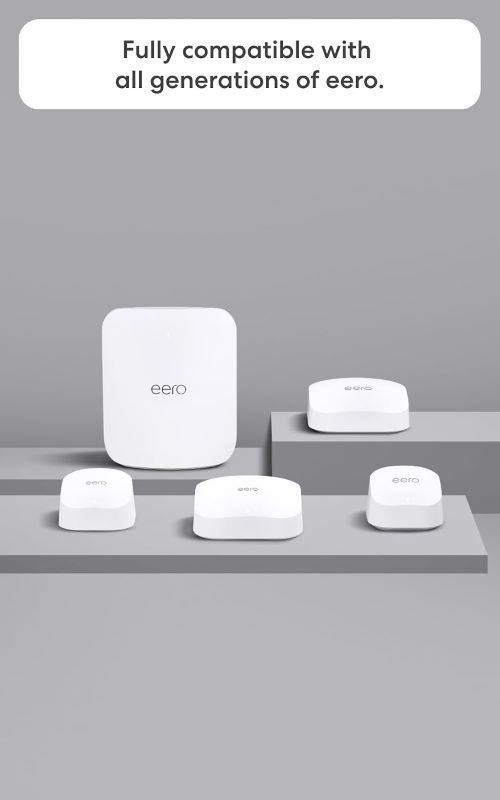
Yes, the eero 7 is backward compatible with older eero models. However, mixing models may limit some of the newer features, like Wi-Fi 7 support. For the best performance, it’s recommended to use all eero 7 units.
Does the eero 7 support Wi-Fi 6E?
No, the eero 7 does not support Wi-Fi 6E or the 6 GHz band. It is a dual-band router, supporting 2.4 GHz and 5 GHz bands. For most users, this is more than sufficient, but if you specifically need Wi-Fi 6E, you may want to look at other options.
Does the eero 7 have parental controls?
Yes, the eero 7 includes basic parental controls that allow you to pause internet access for specific devices, set bedtime schedules, and filter content. For more advanced features, you can subscribe to eero Plus.
How do I extend the coverage of my eero 7 system?
To extend coverage, you can add additional eero 7 units to your network. Each unit adds up to 2,000 sq. ft. of coverage. You can also use eero Beacons, which are smaller, plug-in units that extend coverage and include a nightlight.
Final Verdict
The Amazon eero 7 Dual-Band Mesh Wi-Fi 7 Router is a smart choice for most New Yorkers. Its mesh design eliminates dead zones, Wi-Fi 7 support ensures future-proof speeds, and the easy app-based setup makes it accessible for everyone. The 3-pack provides excellent coverage for apartments and brownstones up to 6,000 sq. ft., making it ideal for the city’s varied living spaces.
While it’s not perfect—the dual-band design and lack of Wi-Fi 6E support may be limitations for some—its benefits far outweigh these minor drawbacks. For anyone who wants a reliable, high-performance mesh system without the complexity or high cost of other options, the eero 7 is a clear winner.
Call To Action
Ready to say goodbye to dead zones and buffering in your New York home? The Amazon eero 7 dual-band mesh Wi-Fi 7 router delivers the fast, reliable whole-home internet you need. Whether you’re in a Manhattan high-rise or a Brooklyn brownstone, this mesh system will keep you connected.
Check out our best TP-Link Deco 7 BE25 WiFi 7 mesh system to compare the eero 7 with other top models and find the perfect fit for your home network.